NETGEAR is aware of a growing number of phone and online scams. To learn how to stay safe click here.
Forum Discussion

Retired_Member
Jan 24, 2017Almost officially done with Netgear Orbi and their support due to not fixing the wifi issues
I am done waiting not hearing anything back from their engineering team to fix this issue. It's been 3 weeks now with no fix. I pretty much told them, they have till Feb. 10th before I purchase a d...
 Jul 11, 2017
Hello Everyone
We have release firmware version 1.12.0.18 this firmware has fixes for disconnects and many more I posted the release notes below.
https://kb.netgear.com/000044171/RBR50-Firmware-Version-1-12-0-18
If you are still having issues after updating your Orbi unit you may want to factory reset the Orbi and test again. If you are still having disconnect issues or other issues with this firmware please create a new thread or contact our support team.
http://www.netgear.com/support/contact.aspx
Thanks
DarrenM
dekka007
Jan 24, 2017Apprentice
Nice post , But lets relate this exactly to Orbi.
Same house, Same devices, Same Network frequencies, Everything Identical apart from the router
Netgear R8500 - No issues, No wifi dropouts, No dramatic Speedtest variations, No Loss Of Internet connection.
Asus Rt-AC5300 - No issues, No wifi dropouts, No dramatic Speedtest variations, No Loss Of Internet connection.
Linksys WRT3200 - No issues, No wifi dropouts, No dramatic Speedtest variations, No Loss Of Internet connection.
ORBI - Internet connection issues, Dropped Wifi, Dramatic swings in Speedtest Results, IOS device unreliability, Dropped connection between Router and Sat.
It is quite easy to see the odd one out on the above. The product is not stable and quite frankly not upto consumer standard as of TODAY.

Mikey94025
Jan 24, 2017Hero
I've been running the Orbi since September. Unlike YOUR house, where it's apparently not working well for you and you should therefore returm it and move on, Orbi is working MUCH BETTER for me (greater wireless coverage/strength and speeds compared to my previous routers). I have iPhones and iPads and have not experienced any use issues (I don't troll the logs looking for disconnects, only care if actual use is affected). I cannot explain why you're having issues/interference/whatever and not getting good results like some other users.
I too have tried a large sequence of wireless routers in my house and the Orbi has performed the best FOR ME:
- ORBI - Works great, no disconnects, higher speeds (fast.com), strong wireless signal throughout my 3 floors
- Netgear R8500
- Netgear R7000
- ASUS RT-AC66U
- Netgear WNDR3700
- dekka007Jan 24, 2017Apprentice
Except it's a lot of people!
A lot of community users are having the same issues and these are not random issues. They are all of the same issues being experienced by multiple users in differing locations and setups.
Glad it works for you tho!
- peteytestingJan 24, 2017Hero
dekka007 wrote:Except it's a lot of people!
A lot of community users are having the same issues and these are not random issues. They are all of the same issues being experienced by multiple users in differing locations and setups.
Glad it works for you tho!
and yet a lot of ppl are not having any issues and like the above i have the asus 88u , asus 5300 , netgear 8500 and so on and those and the orbi have no issues
return the orbi and get a replacement unit
- Retired_MemberJan 25, 2017
The Orbi system has had the best wifi out of all of them in my house and it covers it all. That isn't the issue. The issue is my devices loosing connection and killing the battery because every 5 seconds they disconnect and reconnect. I never had any issues with either my Asus or Linksys routers before in this house. They just didn't have the wifi strength to reach the other end.
Again, this is a half baked product with lots of bugs that should have been found before it was released. I have never experienced this in a personal router that I have bought out of all of them in 20 years.
- MarkC1024Jan 25, 2017Luminary
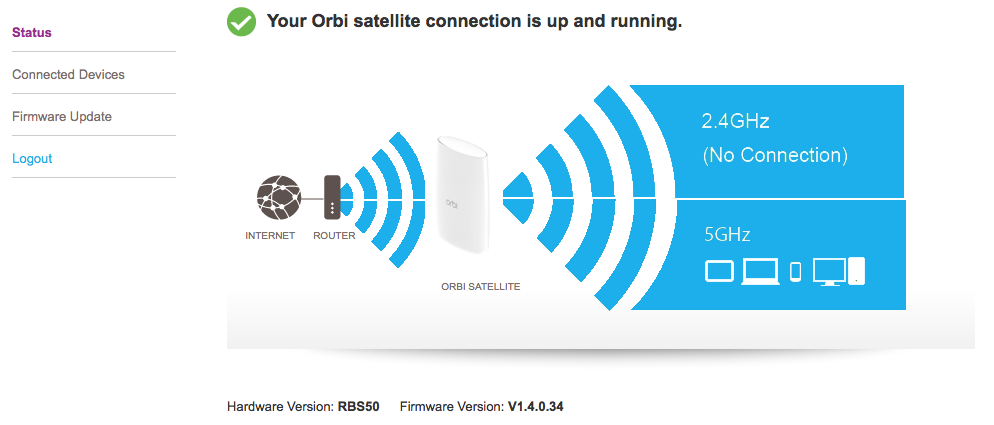
I'm not sure how accurate the satellite status is, but what is it showing for your connection quality between the router and satellite?