NETGEAR is aware of a growing number of phone and online scams. To learn how to stay safe click here.
Forum Discussion

Txko
Mar 18, 2021Aspirant
Ap mode which network to conmect to
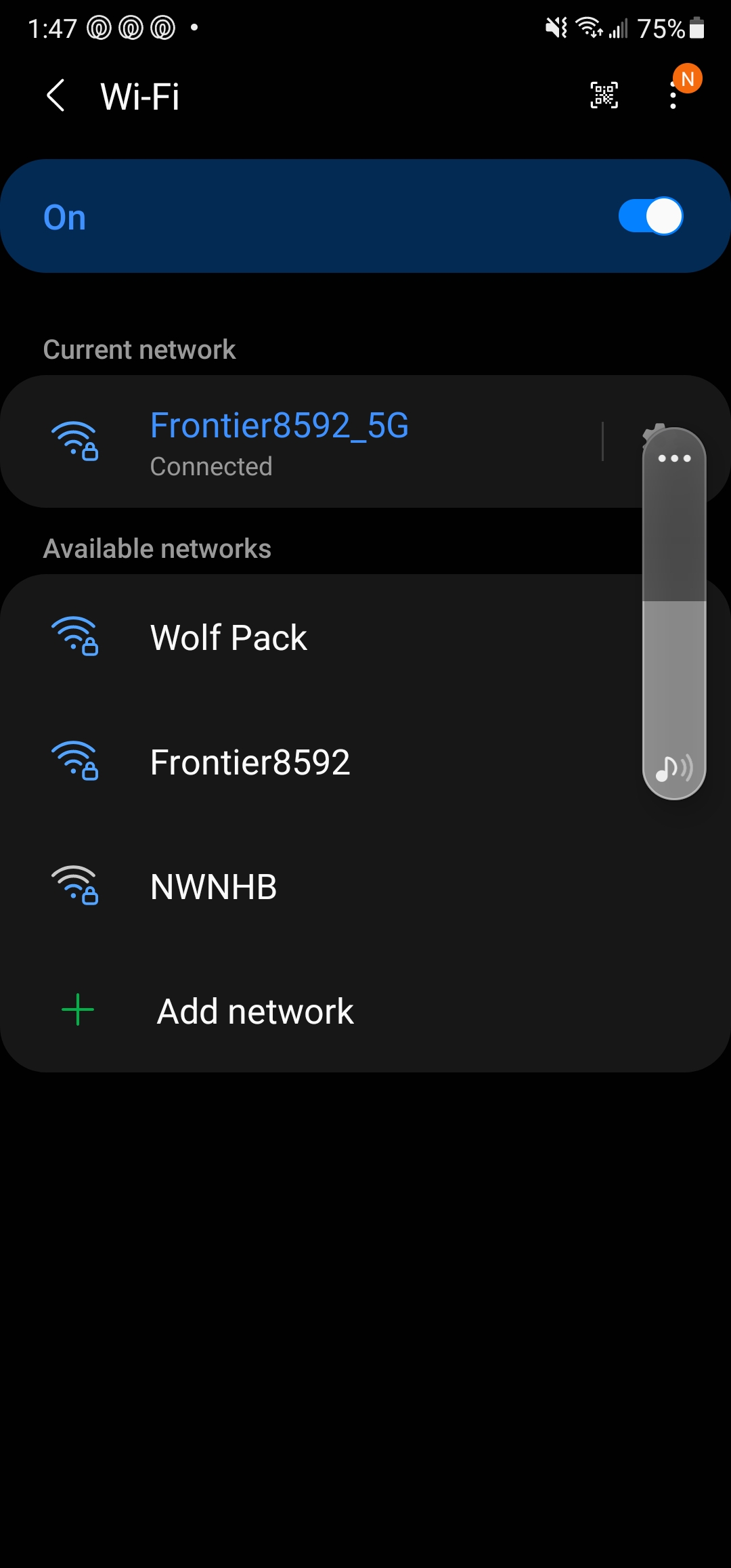
So I put my orbi in ap mode. Now I have a choice between frontier 2.4GHz frontier 5GHz and "wolf" frontier is my ISP networks and wolf is the network I named with orbi. Which network do I connect to?

CrimpOn
Mar 18, 2021Guru - Experienced User
Txko wrote:
So I put my orbi in ap mode. Now I have a choice between frontier 2.4GHz frontier 5GHz and "wolf" frontier is my ISP networks and wolf is the network I named with orbi. Which network do I connect to?
Short answer: "it depends".
If all you want is for devices to use the interent, then it makes no difference which WiFi they connect to. If you begin to install Internet of Things (IoT) devices, such as smart plugs, smart speakers, video doorbells, etc. then the smartphone that is being used to set them may have to be connected to the same WiFi network during the setup.
There was probably a reason for purchasing the Orbi, such as the Frontier WiFi not covering the entire house?
If you want mobile devices (phones, tablet, laptops) to remain connected as they move around the house, then using the Orbi WiFi will make for a better experience because it should have wider coverage.
Most customers would choose not to have two WiFi radios competing with each other inside one house. (Bad enough that neighbor WiFi radios radiate into the house!) So, most customers would turn off the Frontier WiFi. (There may even be a button on the unit to do so.)
There was probably also a reason why the Orbi was put into AP mode?
Txko
Mar 18, 2021Aspirant
I put the orbi in ap mode because I was getting faster speeds via frontier network then orbi. I figured at the very least orbi would expand my coverage. However from reading your post it seems that by connecting to the frontier network I'm not actually receiving any benefit from the orbi correct?
 vajimMar 18, 2021Master
Txko wrote:
I put the orbi in ap mode because I was getting faster speeds via frontier network then orbi. I figured at the very least orbi would expand my coverage. However from reading your post it seems that by connecting to the frontier network I'm not actually receiving any benefit from the orbi correct?do you need the frontier device?
if not get rid of it. the orbi is fully capable of providing you all the internet you can handle
- CrimpOnMar 18, 2021Guru - Experienced User
Txko wrote:
I put the orbi in ap mode because I was getting faster speeds via frontier network then orbi. I figured at the very least orbi would expand my coverage. However from reading your post it seems that by connecting to the frontier network I'm not actually receiving any benefit from the orbi correct?You are correct. If you never connect to the Orbi (wired or WiFi) then it does nothing for you.
As vajim pointed out, if you do not need the Frontier device, you can consider taking it out.
In my experience, most ISP devices that offer WiFi are combination modem/router/WiFi units
You MUST have a modem. Orbi does not include the modem.
What I diid was have Spectrum replace my combination device with a "modem only" device.
- vajimMar 18, 2021Master
CrimpOn wrote:
Txko wrote:
I put the orbi in ap mode because I was getting faster speeds via frontier network then orbi. I figured at the very least orbi would expand my coverage. However from reading your post it seems that by connecting to the frontier network I'm not actually receiving any benefit from the orbi correct?You are correct. If you never connect to the Orbi (wired or WiFi) then it does nothing for you.
As vajim pointed out, if you do not need the Frontier device, you can consider taking it out.
In my experience, most ISP devices that offer WiFi are combination modem/router/WiFi units
You MUST have a modem. Orbi does not include the modem.
What I diid was have Spectrum replace my combination device with a "modem only" device.
I'm still amazed at the number of folks who buy an Orbi and try to run it with another router. If their ISP requires that (Verizon comes to mind) then that's different. But to think another router is going to allow you to send wifi to the moon is ludicrous. If the thought is looking for extra ethernet connections, wouldn't a simple switch provide the same functionalty? The other part to this is the number of people who buy the Orbi (without doing homework) not realizing that 2 routers in a system requires special configuation and an open inviation to problems. Yeah. I know it can be done, but for the casual user this type of setup may beyond what they bargained for. BUT, on the other side that's what this forum is for to unscrew NAT stuff amongst other poop.
- TxkoMar 18, 2021AspirantSo would the correct move be to keep the frontier device as the modem, and disable the wifi on it?
- TxkoMar 18, 2021AspirantThis is a picture of my router/modem that was provided via Frontier
- TxkoMar 18, 2021AspirantAlso I have tried to name both bands unique names but after about 5 minutes the 5ghz mirrors the 2.4 and become one. There has to be a way to uniquely name both bands correct?