NETGEAR is aware of a growing number of phone and online scams. To learn how to stay safe click here.
Forum Discussion

Txko
Mar 18, 2021Aspirant
Ap mode which network to conmect to
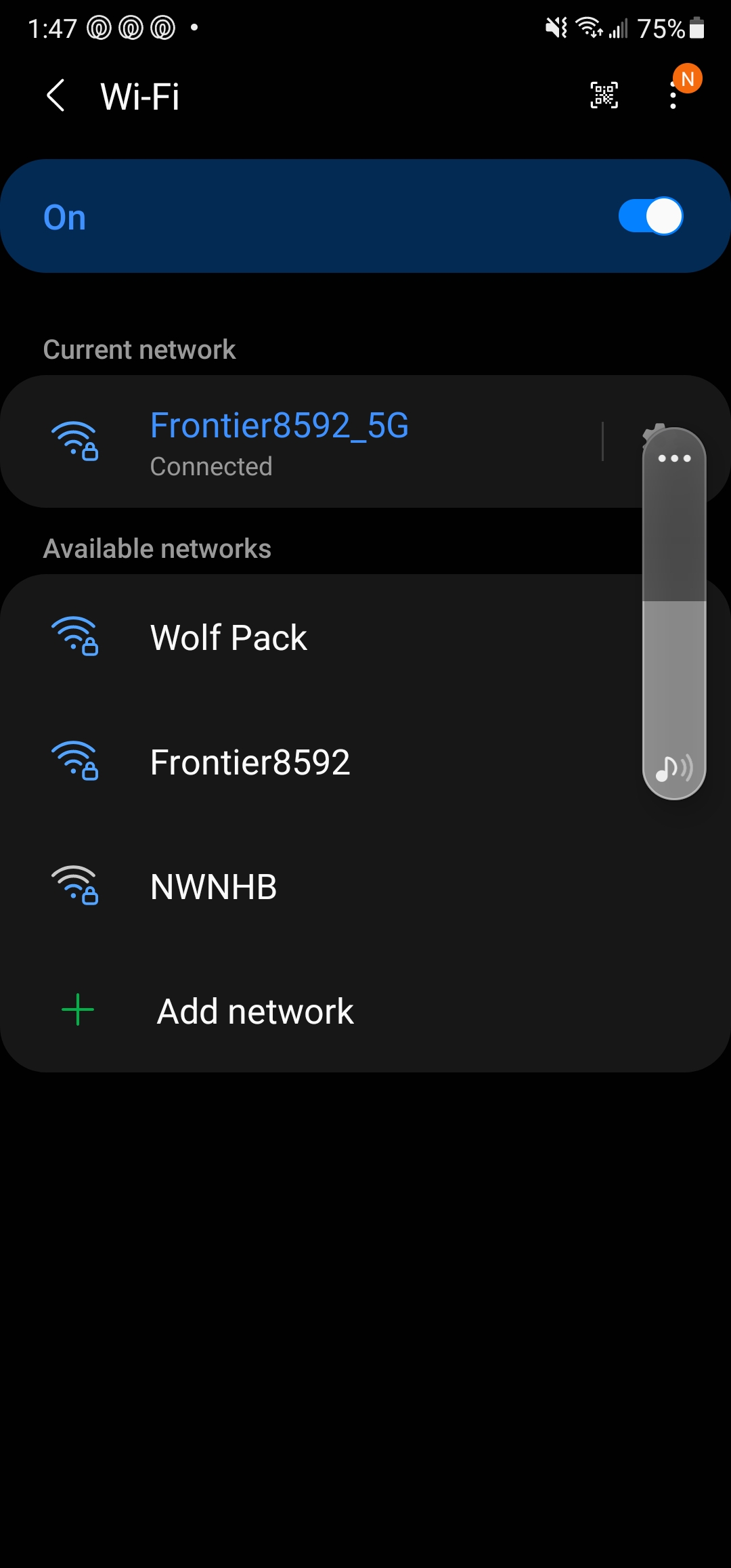
So I put my orbi in ap mode. Now I have a choice between frontier 2.4GHz frontier 5GHz and "wolf" frontier is my ISP networks and wolf is the network I named with orbi. Which network do I connect to?
Txko
Mar 18, 2021Aspirant
I put the orbi in ap mode because I was getting faster speeds via frontier network then orbi. I figured at the very least orbi would expand my coverage. However from reading your post it seems that by connecting to the frontier network I'm not actually receiving any benefit from the orbi correct?

CrimpOn
Mar 18, 2021Guru - Experienced User
Txko wrote:
I put the orbi in ap mode because I was getting faster speeds via frontier network then orbi. I figured at the very least orbi would expand my coverage. However from reading your post it seems that by connecting to the frontier network I'm not actually receiving any benefit from the orbi correct?
You are correct. If you never connect to the Orbi (wired or WiFi) then it does nothing for you.
As vajim pointed out, if you do not need the Frontier device, you can consider taking it out.
In my experience, most ISP devices that offer WiFi are combination modem/router/WiFi units
You MUST have a modem. Orbi does not include the modem.
What I diid was have Spectrum replace my combination device with a "modem only" device.
 vajimMar 18, 2021Master
CrimpOn wrote:
Txko wrote:
I put the orbi in ap mode because I was getting faster speeds via frontier network then orbi. I figured at the very least orbi would expand my coverage. However from reading your post it seems that by connecting to the frontier network I'm not actually receiving any benefit from the orbi correct?You are correct. If you never connect to the Orbi (wired or WiFi) then it does nothing for you.
As vajim pointed out, if you do not need the Frontier device, you can consider taking it out.
In my experience, most ISP devices that offer WiFi are combination modem/router/WiFi units
You MUST have a modem. Orbi does not include the modem.
What I diid was have Spectrum replace my combination device with a "modem only" device.
I'm still amazed at the number of folks who buy an Orbi and try to run it with another router. If their ISP requires that (Verizon comes to mind) then that's different. But to think another router is going to allow you to send wifi to the moon is ludicrous. If the thought is looking for extra ethernet connections, wouldn't a simple switch provide the same functionalty? The other part to this is the number of people who buy the Orbi (without doing homework) not realizing that 2 routers in a system requires special configuation and an open inviation to problems. Yeah. I know it can be done, but for the casual user this type of setup may beyond what they bargained for. BUT, on the other side that's what this forum is for to unscrew NAT stuff amongst other poop.
- TxkoMar 19, 2021AspirantSo would the correct move be to keep the frontier device as the modem, and disable the wifi on it?
- TxkoMar 19, 2021AspirantThis is a picture of my router/modem that was provided via Frontier
- TxkoMar 19, 2021AspirantAlso I have tried to name both bands unique names but after about 5 minutes the 5ghz mirrors the 2.4 and become one. There has to be a way to uniquely name both bands correct?
- CrimpOnMar 19, 2021Guru - Experienced User
Txko wrote:
Also I have tried to name both bands unique names but after about 5 minutes the 5ghz mirrors the 2.4 and become one. There has to be a way to uniquely name both bands correct?No. There are a number of (very long) posts on this topic. People have pleaded with Netgear for years without success. Some very clever people have found ways to "hack" the Orbi firmware to give different SSID's to the 2.4G and 5G bands. Netgear does not support this effort. Those who do it are "on their own." If a new firmware release breaks their "hack", they must either give up the practice or remain on whatever firmware they got to work. My own (personal) opinion is if different SSID's for 2.4G and 5G bands are absolutely critical, "can't live without it" needs, then buy something besides an Orbi.
Frontier WiFi obviously follows the traditional methodology which gives the 2.4G and 5G bands different names, with one of them adding "5G" at the end.
I can understand you are in an awkward spot. You have carefully selected which band each device would connect to by SSID. Switching to one SSID means that (some number) of devices have to be reconfigured. That is tedious. I (again personally) might look on this as an opportunity to move away from having my WiFi called "Something 2G" and "Something 5G" (Is it actually "frontier"?) and pick an SSID I like better. "Wolf" sounds good.