NETGEAR is aware of a growing number of phone and online scams. To learn how to stay safe click here.
Forum Discussion

newbietj
Mar 15, 2018Aspirant
Circle Firmware Update Error on Orbi RBK50
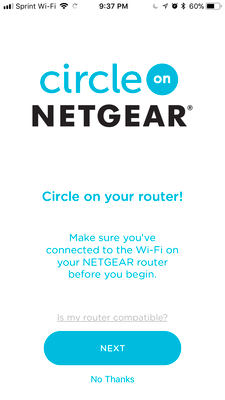
I just finished setting up the Orbi system and updating firmware. I am attempting to set up Circle. The first screen is about making sure you are connected to WiFi on your netgear router before you...
markdixon12
Mar 19, 2018Aspirant
Will this solution work for both Mac and PC? When I called customer support they wanted be to manually download the same version I currently had, not the 2.1.2.18. I didn't have time to complete the call, but was curious.
Starbucky
Mar 19, 2018Apprentice
Yes it's independednt of operating system. It essentially re-routes requests for any "managed" device.
I don't see why they would say to load the current stable firmware if you want to use Circle, to my knowledge only the 2.1.x fimware versions support Circle.
- MAshpoleApr 12, 2018Aspirant
Orbi doesn't always update to the latest firmware automatically. Recommend manually updating to the latest firmware found at here for the RBR50, but can be found at similar locations for other models:
https://kb.netgear.com/000055562/RBR50-RBS50-Firmware-Version-2-1-3-4
- OrbiOrbiOhJun 10, 2018Aspirant
I can confirm that I my Orbi RBK50 is on Router Firmware Version V2.1.4.10 and I am using Apple with the latest version of the Circle App.
I am not able to update enable Circle on my device. It am getting the same screen with the "Enable Circle" button in an endless loop.
I have rebooted the Orbi several time. When will this be fixed?