NETGEAR is aware of a growing number of phone and online scams. To learn how to stay safe click here.
Forum Discussion

JohnnyRedd
Jul 04, 2021Aspirant
Connectivity issue
We have 4 satellites. 3 work perfectly and have a broad area they cover. The 4th is in the garage and loses connection. I have tried to move another satellite closer so it would basically daisy chain...
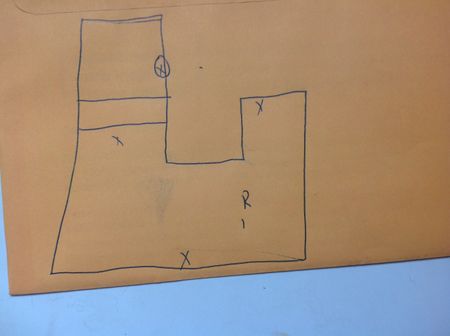

FURRYe38
Jul 04, 2021Guru - Experienced User
Please use the Choose File button to attach picture files to so we can view the pictures sooner. We have to wait for inline pictures to be approved.
What happens if you swap RBS around with the one in the garage?
What is the distance between the RBR and the garage?
What Firmware version is currently loaded?
What is the Mfr and model# of the Internet Service Providers modem/ONT the NG router is connected too?
What is the size of your home? Sq Ft?
What is the distance between the router and satellite(s)? 30 feet or more is recommended in between RBR and RBS to begin with depending upon building materials when wirelessly connected.
https://kb.netgear.com/31029/Where-should-I-place-my-Orbi-satellite
What channels are you using? Auto? Try setting manual channel 1, 6 or 11 on 2.4Ghz and 40 to 48 channel on 5Ghz.
Any Wifi Neighbors near by? If so, how many?
Try enabling Beamforming and MIMO(MIMO may or may not be needed) and WMM. Under Advanced Tab/Advanced Settings/Wireless Settings
Try disabling the following and see:
Armor, Circle, Daisy Chain, Fast Roaming, IPv6 and Set 20/40Mhz Coexistence to 40Mhz only. Set Short preamble instead of Long preamble modes. Save settings and reboot the router and satellite(s).
One User Experience/Configuration:
https://community.netgear.com/t5/Orbi/Most-Stable-Orbi-Configuration/m-p/1941087/highlight/true#M97026