NETGEAR is aware of a growing number of phone and online scams. To learn how to stay safe click here.
Forum Discussion

Burakiosaurus
Dec 17, 2020Aspirant
Disappointing Orbi Wi Fi Speed with Virgin Media M500
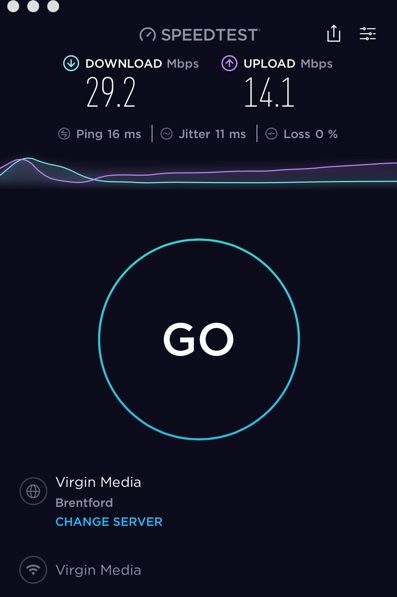
Hi All, Had my Orbi RBK50 since Sunday and am using it with ISP provided Router, which I have put into Modem mode. My ISP is Virgin Media in the UK on their M500 package. Their Minimum Guara...
Burakiosaurus
Dec 19, 2020Aspirant
FURRYe38 wrote:You ISP modem already has a build in router and wifi, This would be a double NAT (two router) condition which isn't recommended. https://kb.netgear.com/30186/What-is-Double-NAT
https://kb.netgear.com/30187/How-to-fix-issues-with-Double-NAT
Couple of options,
1. Configure the modem for transparent bridge or modem only mode. Then use the Orbi router in router mode. You'll need to contact the ISP for help and information in regards to the modem being bridged correctly.
I've got my ISP provided Modem in modem only mode right now. Weird thing is, when I plug directly into the back of my ISP Router in modem mode via etherhet, I can't connect to the internet. Is this normal?
FURRYe38 wrote:
You might also update to v40:
Factory reset and setup from scratch after RBS and RBR have been updated...
I will try this. When I try to update via the app, it says I have the latest version. Shouldn't it update to latest firmware from there?

FURRYe38
Dec 19, 2020Guru - Experienced User
Something to ask your ISP about.
If your modem is bridged, then you should only be needing the Orbi router for any router needs.
No. Some updates are not notified on the routers web page or Orbi apo.