NETGEAR is aware of a growing number of phone and online scams. To learn how to stay safe click here.
Forum Discussion

Mikey94025
Sep 25, 2016Hero
Intermittent internet connectivity outage with Orbi?
I just installed my new Orbi router yesterday, replacing a Nighthawk R8500. I believe that overall wireless coverage has improved, though top-end performance is not quite as high (measured via fast....
 Sep 29, 2016
I read in the other "Ring Door Bell" thread that a customer had better results after disabling "Enable Implicit BEAMFORMING". So I tried that just to see what happens. It's probably too early to tell yet, but my 2 Nest cameras have only disconnected once in the past 2 days and I think that's because there was a power outage at my house today (I wasn't home and both cameras went out at the same time, something the intermittent outages haven't done).

alkizz
Mar 12, 2017Aspirant
Getting more confident that Upstream QoS could be the culprit.
1. Information found here - https://kb.netgear.com/23852/How-do-I-enable-upstream-quality-of-service-QoS-to-optimize-gaming-on-my-Nighthawk-router

2. When I look at the Upstream QoS rules all the attached MAC addresses were set to "normal" meaning they were all competing for upstream bandwidth from Orbi at the same priority.
3. If Orbi thinks that 512Kbps is the upstream limit, then it will allocate that to the attached devices equally. If Nest Cam is trying to push video to the cloud I can easily imagine scenarios where it's attempt would fail, and thus, it goes offline.
4. Other general thoughts somewhat related:
a. It appears Netgear reuses old firmware code. I make this assumption based on the "hidden" router configuration pages I've been able to find.
b. It appears explicit/implicit beamforming and QoS are realted in some way. I'm not technial enough to understand, but found several research articles on the internet that led me to this assumption.
c. If the feature of Upstream QoS is still a functional element of legacy firmware code, its limit was set at 512kbps.
d. If Netgear reuses code -and that code is functional -and beamforming is related to QoS then it is a guess that disabling beamforming can have some affect on QoS which might explain why this workaround has been effective for some. It might also explain why a firmware update on this issue has taken so long.
e. THIS IS ALL GUESS WORK - I am only trying to make reasonable assumptions but could be completely incorrect.
5. Anyone else interested in testing this as well? My Nest Cam had 57 disconnects over the last 30 days. So far it's only been about 9 hours since I made the change but Nest has been stable. It would be interesting to see results from others if anyone else who has numerous disconnects wanted to try. I'm a little nervous about providing the URL to the setting publically because I don't want to be resonsible for lots of bricked Orbi's in case this causes issues in the future. If you want to test this out send me a message.
Mikey94025
Mar 12, 2017Hero
Nice theory & detail, I hate QoS and don't have it enabled, nor was it on by default for me. Do you recall turning it on or ever trying the speedtest?
Wait, I just looked at your screenshot in more detail and I don't believe you have QoS on. You have WMM enabled, which is the default and which always should be on for maximum performance. WMM is not the same as explicit QoS ("Turn Internet Access QoS On") which is disabled by default. So your settings match my own.
Still, let us know how your experiement goes.
- alkizzMar 12, 2017Aspirant
HI Mikey, I sent you a message.
Also, QoS was not "on" by default but there is no visible option to enable or disable it. There is only an option to run a speedtest, which I assumed enables QoS. I have run a speedtest.
On the hidden QoS pages I've looked at it, Upstream QoS was enabled and rate limited to 512kbps. I have since disabled that and have not had any disconnects while leaving all other options enabled (Beamforming, WMM, Downstream QoS, etc). My results so far anyway.
One thing i did notice on the Nest Cam is that the video quality was set to AUTO. One of my working theories was that the Nest Cam switches between modes horking up the upstream QoS.
For testing purposes, I cranked mine up to 1080p full time to try and trigger a disconnect.
- alkizzMar 12, 2017Aspirant
Back to the drawing board! Nest Cam went offline. I logged into Orbi and the camera and my nest thermostat were both not in the attached devices list.
SIGH!
Now working theory is that Smart Home devices don't play well on 5Ghz channel (just confirmed my nest devices can use 2.4 or 5) or that 2.4 channel set to auto is causing trouble when it switches to a different channel.
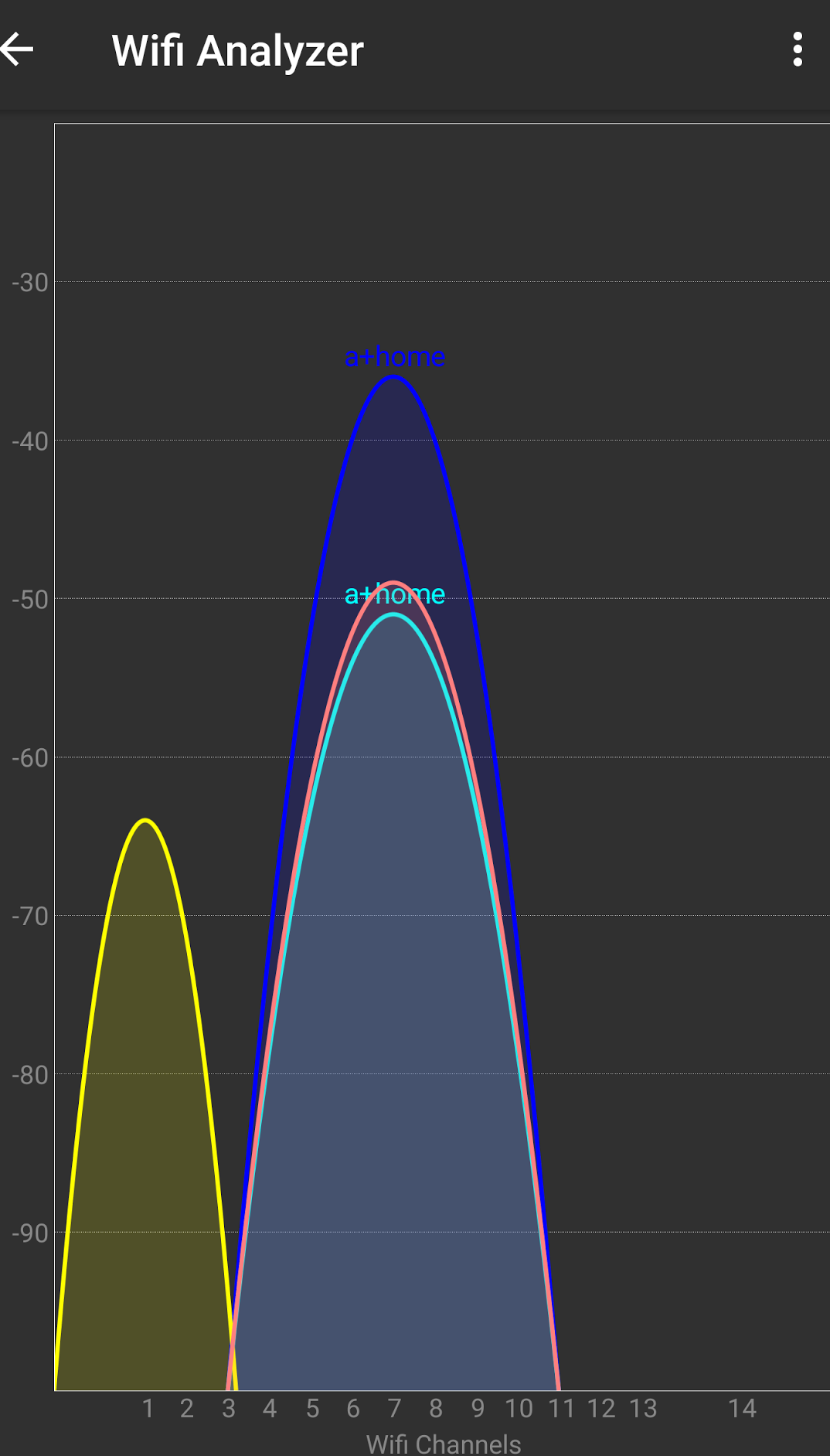
First I will set a static channel to 7 for the 2.4 band. Will post results later if we go offline again.
Implicit Beamforming is starting to look more likely as the culprit. (As others have pointed out)
DISREGARD messages 172,173, 174 and 176
- peteytestingMar 12, 2017Hero
for 2.4 gig use ether ch 1 , 6 or 11 as they are the only ones that do not overlap with other channels