NETGEAR is aware of a growing number of phone and online scams. To learn how to stay safe click here.
Forum Discussion

jefferis
Jan 10, 2024Guide
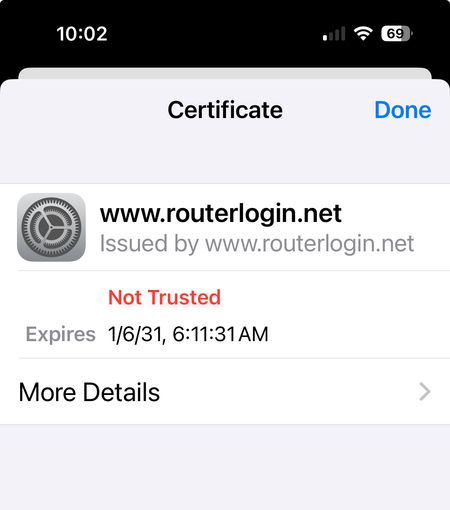
Orbi 54 RBR50 AC3000 Blocking Websites as insecure
I am having issues with my laptop and then my phone using wifi to browse. The problem is intermittent and not at the same time on all devices. Suddenly my mac laptop will start blocking all website...

FURRYe38
Jan 10, 2024Guru - Experienced User
Might disable IP address Tracking on the Mac.
Be sure to disable any MAC Address randomizers on phones and pads while at home:
https://community.netgear.com/t5/Orbi-App/NETGEAR-Mobile-Applications-and-Apple-Devices-FAQ/td-p/2220016/jump-to/first-unread-message
What Firmware version is currently loaded?
What is the Mfr and model# of the Internet Service Providers modem/ONT the NG router is connected too?
Be sure your using a good quality LAN cable between the modem and router. CAT6 is recommended.
- jefferisJan 10, 2024Guide
So the problem stops happening suddenly, so I can't test these solutions at present, but thank you all for the steps. It may be that private relay stops things when the iCloud servers are not working. I have turned that off and see the option to turn off randomizing wifi MAC and IP address tracking protection. Those will be my next steps if the problem recurs.
FYI Firmware is current on the Orbi 50 system, 5G --- 2.7xx
- FURRYe38Jan 10, 2024Guru - Experienced User
Be sure your using the latest FW:
Contact Apple support for any odd issues with there services if seen.
Glad it's working. Be sure to save off a back up configuration to file for safe keeping. Saves time if a reset is needed.
https://kb.netgear.com/000062080/How-do-I-back-up-the-configuration-settings-on-my-Orbi-WiFi-System
Enjoy. 📡