NETGEAR is aware of a growing number of phone and online scams. To learn how to stay safe click here.
Forum Discussion

PCSP
Aug 09, 2021Guide
Orbi RBK53 - Force autoupdate firmware to v2.7.3.22
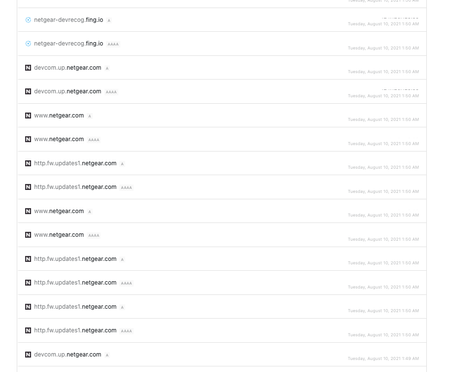
Today, I found my router forced update firmware to 2.7.3.22. Is it normal or not? because I use 2.5.1.16 is very stable with my environment It update around 2am GMT+7 Is it normal for this be...
- Aug 19, 2021
I was able to complete this successfully, and downgraded to a stable version firmware.
Here's what I did based on FURRYe38 suggestion, I set Orbi to AP mode first, then connected to a spare router that I have and blocked all ports for Orbi update service (updates.netgear.com or updates1.netgear.com). The auto upgrade finally stopped, everything is back to normal and I'm happy. Thanks everyone who offered to help!

FURRYe38
Aug 10, 2021Guru - Experienced User
Yes.
PCSP
Aug 10, 2021Guide
Only this version 2.7.3.22?
I use v2.5.1.16 for a year. It never auto update. It said only new firmware availiable ...
I think it not be greate to auto update the firmware
- FURRYe38Aug 10, 2021Guru - Experienced User
Auto update FW as been appart of Orbi since the beginning. Depends on regional location and serial number as well.
NG is aware of recent FW update issues.
If your system is just letting you know there is something available on the RBRs web page you can triggler the update your self or don't.
If your system does update FW, It's recommended to turn OFF the RBR, RBS and ISP modem/ONT for 1 minute then back on with the ISP modem/ont, then RBR then RBS. Check operation.