NETGEAR is aware of a growing number of phone and online scams. To learn how to stay safe click here.
Forum Discussion

PCSP
Aug 09, 2021Guide
Orbi RBK53 - Force autoupdate firmware to v2.7.3.22
Today, I found my router forced update firmware to 2.7.3.22. Is it normal or not? because I use 2.5.1.16 is very stable with my environment It update around 2am GMT+7 Is it normal for this be...
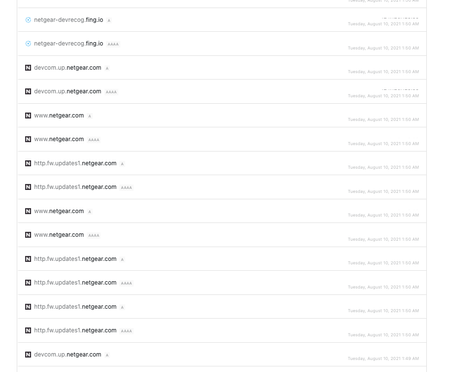
- Aug 19, 2021
I was able to complete this successfully, and downgraded to a stable version firmware.
Here's what I did based on FURRYe38 suggestion, I set Orbi to AP mode first, then connected to a spare router that I have and blocked all ports for Orbi update service (updates.netgear.com or updates1.netgear.com). The auto upgrade finally stopped, everything is back to normal and I'm happy. Thanks everyone who offered to help!
fmalloy
Aug 10, 2021Luminary
This is news to me.
I have RBR20/RBS20 and have never had firmware auto-update until recently. My app would show an "update available" type of notification, but I always ignored them, knowing that they often introduce major bugs. I prefer to wait until I read confirmations that it's stable and usable.
Today I noticed my router auto-updated to 2.7.3.22 at some point - with no notification to me whatsoever.
This is very troubling. We should be able to choose whether to auto-update, or to update when we choose.
- fmalloyAug 10, 2021Luminary
Well, looking at the log it appears to have updated at 2:30am, with everyone in bed. It never asked me. I've had this over one year and it's never auto updated. I think this must be a new "feature".
Most other devices make it a choice to auto update. With this router, auto-updating is never a good idea. You could end up with new, unexpected bugs, and then it's on YOU to downgrade.Not helpful.