NETGEAR is aware of a growing number of phone and online scams. To learn how to stay safe click here.
Forum Discussion

PCSP
Aug 09, 2021Guide
Orbi RBK53 - Force autoupdate firmware to v2.7.3.22
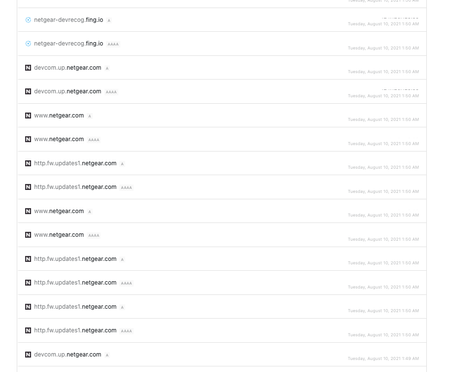
Today, I found my router forced update firmware to 2.7.3.22. Is it normal or not? because I use 2.5.1.16 is very stable with my environment It update around 2am GMT+7 Is it normal for this be...
- Aug 19, 2021
I was able to complete this successfully, and downgraded to a stable version firmware.
Here's what I did based on FURRYe38 suggestion, I set Orbi to AP mode first, then connected to a spare router that I have and blocked all ports for Orbi update service (updates.netgear.com or updates1.netgear.com). The auto upgrade finally stopped, everything is back to normal and I'm happy. Thanks everyone who offered to help!
leepaki
Aug 18, 2021Aspirant
I tried to downgrade it to 2.5.1.16 but immediately after it automatically upgraded router and all sats to the newest version, which caused stability issues for me. Very upsetting.....2.5.1.16 has been perfectly stable why force people to upgrade unlesss there's a major security flaw.

CrimpOn
Aug 18, 2021Guru - Experienced User
leepaki wrote:
I tried to downgrade it to 2.5.1.16 but immediately after it automatically upgraded router and all sats to the newest version, which caused stability issues for me. Very upsetting.....
It remains a mystery why Netgear resumed automatic firmware updates after not doing them for so long. The release notes mention (a) improvements to Parental Controls, (b) a fix for that horrible Daylight Saving Time/Traffic Meter issue from last March, and (c) security vulnerabilities. (All presumably good things.) Can you describe the new issues? Perhaps the community can come up with a solution.