NETGEAR is aware of a growing number of phone and online scams. To learn how to stay safe click here.
Forum Discussion

Sovby
Mar 05, 2022Aspirant
ORBI RBR 50 V2 Loses Ethernet connection
Ive been using this router for 3 or 4 months with everything working fine, but a few days ago it started giving me problems. i lose my ethernet connection to my windows 10 computer. It says ip addres...
Sovby
Mar 06, 2022Aspirant
Ive thought about the cable & have asked a couple of people that have said unless its been twisted or damaged in someway it's probably ok. i have tried multiple ports. i dont have another cable long enough to reach over there. I will have to order another off of amazon. The issue is with my desktop. My laptop & other devices work although the wifi stopped working while i was trying to troubleshoot, but now its back on. i did remove the adapter from the device manager & rebooted so that it would reinstall the driver. I also ran ipconfig/renew, but it told me it couldnt run while the media ws disconnected. I'm also wondering if there is something wrong with the adapter. i believe its on board so would be hard to replace if thats the issue.
Sovby
Mar 06, 2022Aspirant
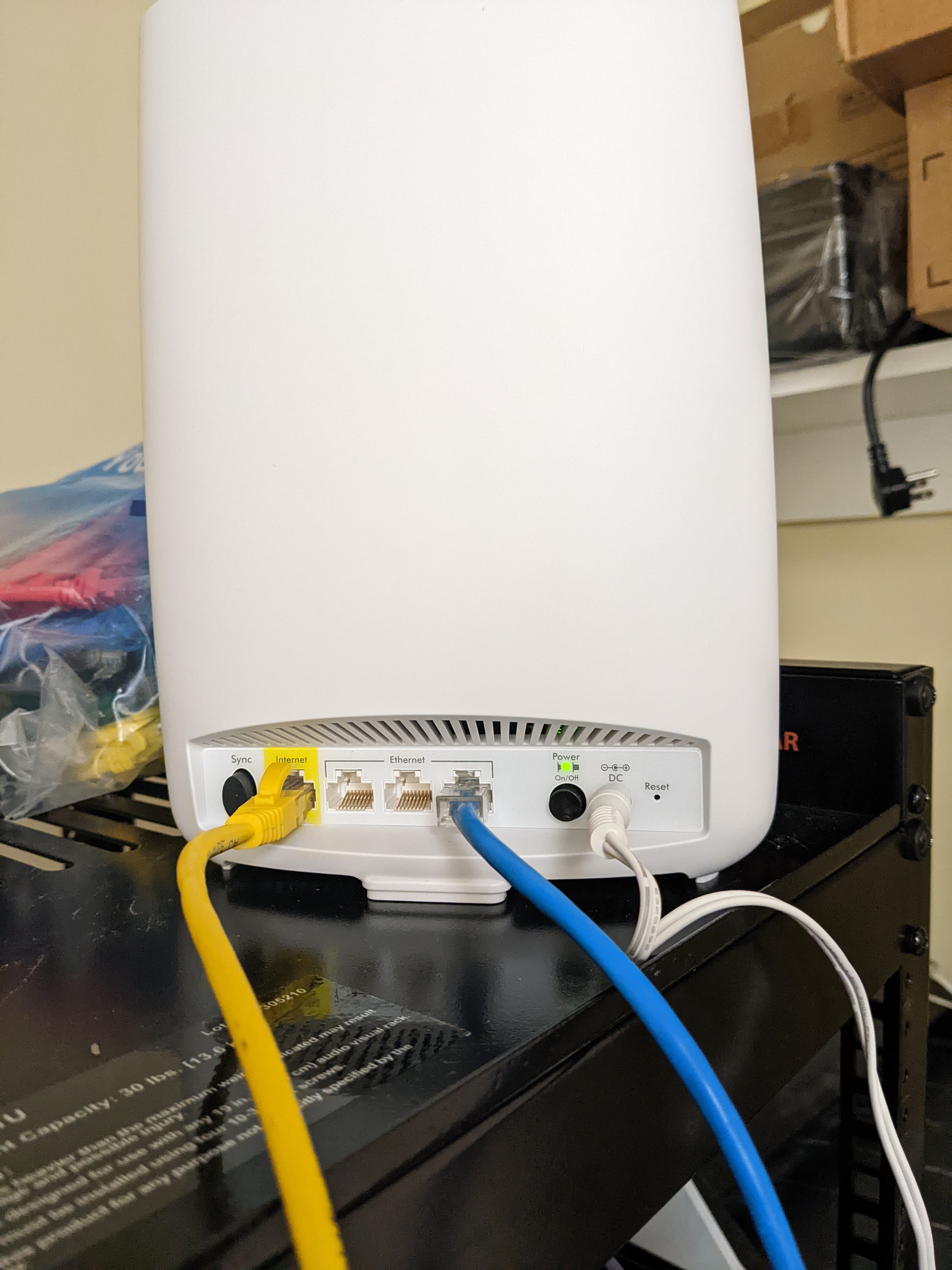
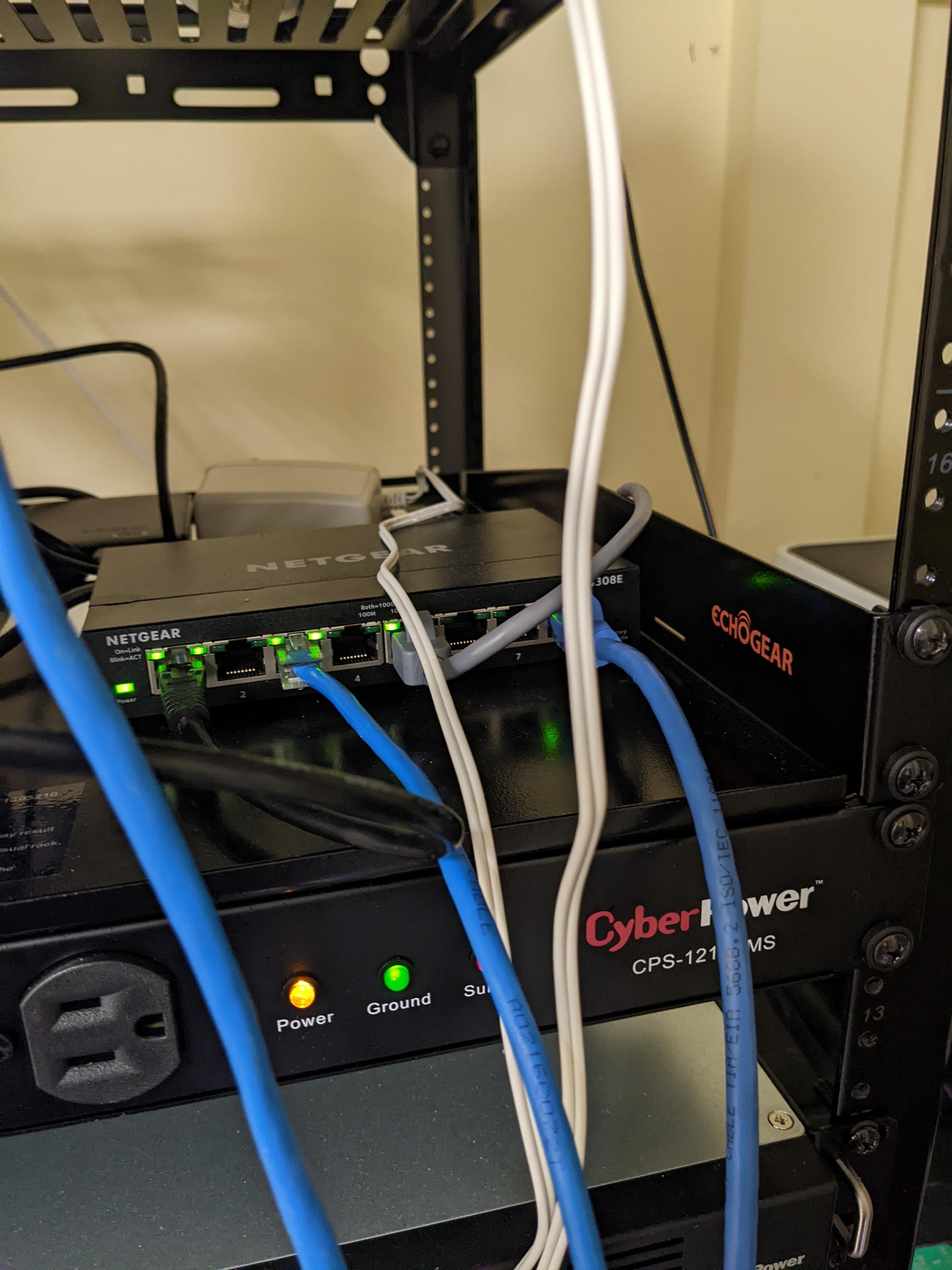
Maybe some photos would help. Ive been trying multiple combinations thinking that i had something setup wrong. Currently I have the blue ethernet cable thats on the far right coming from the windows10 computer that i'm having problems with. The second blue ethernet cable goes from the router to the switch, which i might not even need that. The yellow ethernet cable goes from the modem to the port that's marked internet. That one seems to be correct because if i remove that the wifi stops working.xfinity modemOrbi RBR50Netgear SwitchServer Rack
- SovbyMar 06, 2022Aspirant
Photos dont seem to work. Can you post photos from your hard drive here?
- SovbyMar 06, 2022Aspirant
- CrimpOnMar 06, 2022Guru - Experienced User
Sovby wrote:
Photos dont seem to work. Can you post photos from your hard drive here?
One of the less helpful features of the software pakage that Netgear uses for the forum is that images placed "in line" using the Photos icon in the menu bar do not become available to other users until they are approved by a forum moderator. Images "attached" using the Browse button in the lower left are available immediately. It can take hours (days?) for a moderator to notice and approve images.
- SovbyMar 06, 2022Aspirant
You can only do one at a time?
CrimpOn wrote:
Sovby wrote:Photos dont seem to work. Can you post photos from your hard drive here?
One of the less helpful features of the software pakage that Netgear uses for the forum is that images placed "in line" using the Photos icon in the menu bar do not become available to other users until they are approved by a forum moderator. Images "attached" using the Browse button in the lower left are available immediately. It can take hours (days?) for a moderator to notice and approve images.
- SovbyMar 06, 2022Aspirant
my router
- SovbyMar 06, 2022Aspirant
my switch
- SovbyMar 06, 2022Aspirant
my server rack
- JeffgearMar 06, 2022VirtuosoI’d be tempted to try a new Ethernet cable on the windows laptop and also try the laptop plugged in one of the switch ports. If both of these fail then it’s a driver, config or interface issue on the laptop. Does the laptop work via wifi to the Netgear?
- SovbyMar 07, 2022Aspirant
i'm trying to connect through my destop with ethernet. My laptop works fine with wifi. i'm going to try a new cable but will have to order it. i need like a 25' cable to reach over there. i had wifi working on this computer but was having issues with that so i switched to ethernet. That was before i had the netgear router & switch. i had another xfinity modem/router combination unit. i might order another wifi adapter too.
- JeffgearMar 07, 2022VirtuosoYou could temporarily try a short cable and if that works then you know you need to pay more for a replacement 25m one.
- SovbyMar 07, 2022Aspirant
Jeffgear wrote:
You could temporarily try a short cable and if that works then you know you need to pay more for a replacement 25m one.I'll just buy a new 25' cable. they are not that expensive and i would have to move the computer over to the modem & router which would be a pain.if that doesnt work i dont know what to do. Maybe there is something wrong with the hardware on my windows desktop.
- SovbyMar 09, 2022Aspirant
Well its not the cable. i bought a new one & that one doesnt work either.The wifi adapter i bought, the software cant find it, maybe because i have an older usb. probably 2.0. At this point i might need to buy a contract, i need a professional to help. i'm running out of ideas
 Mikey94025Mar 09, 2022Hero
Since your problem is specific to your Windows PC and its hardwired ethernet connection, first try all the standard Windows adapter diagnostics. Exactly what error message and which step fails when you follow these instructions? https://www.makeuseof.com/windows-10-fix-faulty-ethernet/
- JeffgearMar 09, 2022Virtuoso
Sorry to hear that. At least you have elimianted the cable from the equation.
- SovbyMar 10, 2022Aspirant
Mikey94025 wrote:Since your problem is specific to your Windows PC and its hardwired ethernet connection, first try all the standard Windows adapter diagnostics. Exactly what error message and which step fails when you follow these instructions? https://www.makeuseof.com/windows-10-fix-faulty-ethernet/
Mikey94025 wrote:Since your problem is specific to your Windows PC and its hardwired ethernet connection, first try all the standard Windows adapter diagnostics. Exactly what error message and which step fails when you follow these instructions? https://www.makeuseof.com/windows-10-fix-faulty-ethernet/
after i run the troubleshooting diagnostic, i get the message that the ethernet does not have a valid ip configuration. i tried all of those instructions, but i still cant connect. they give me a link to a repot but you need to have internet access which doesnt help me. i do get a windows error that says"your device ran into a problem and needs to restart.We're collecting some error info, and then we'll restartf or you." There is a note that says stop code: Driver Power State Failure