NETGEAR is aware of a growing number of phone and online scams. To learn how to stay safe click here.
Forum Discussion

seshie
Sep 17, 2021Aspirant
ORBI RBR50 v2 Unable to connect to VPN Windows 10
Hello, I've followed the instructions, read a lot of the discussions here, and watched a youtube video and as far as I can tell I've done everything properly, but when I try to connect it's stuck...
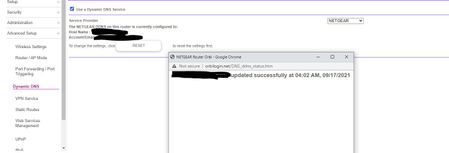

CrimpOn
Sep 17, 2021Guru - Experienced User
I agree that setting up OpenVPN server on Orbi is not the "piece of cake" one would hope for. My first attempt took several days of experimentation and disappointment. Just a few things to consider:
It's 'nit picking', but the Orbi does not connect to anything. The remote computer client connects to the Orbi server.
The Windows 10 client is no longer connected to the Orbi LAN, but is connected to the internet some other way. (For my testing, rather than drive down to Starbucks, I disconnect my smart phone from the Orbi LAN to use a LTE data connection, then open a Hot Spot on the phone which the Windows 10 computer connects to first, before activating the OpenVPN client.
My guess is there is a problem with the OpenVPN client. I have found three OpenVPN clients for Windows 10:
- OpenVPN 2.5.3, which the Orbi instructions say to download and install.
- OpenVPN Connect 3.3.1, which is a separate product, not from OpenVPN itself.
- tunXten which is yet another OpenVPN compatible product, which emphasizes being convenient when the user wants to connect to more than one OpenVPN server (which I do).
I had both OpenVPN Connect and tunXten working on my laptop, and decided "what the heck, I'll install the Real OpenVPN software." Now, neither OpenVPN nor tunXten will connect, but good old OpenVPN Connect is still happy.
I believe this has to do with the software creating an artificial network adapter which is described as a "TAP Windows Adapter" and has to be renamed to match the configuration file (NETGEAR-VPN). Somehow, I have messed this up (sigh).
One wrinkle in all this is that OpenVPN supports two different connection types (tun on port 12973 and tap on port 12974). OpenVPN Connect uses the tun connection and the other two use the tap connection. Google "tun vs tap VPN" for interesting reading on the difference between the two.
One thing to try is to install either OpenVPN Connect or tunXten and see if they succeed where the OpenVPN client software did not.
seshie
Sep 17, 2021Aspirant
I wouldn't think I'd need to connect to a hotspot to be able to connect to my router's VPN.
I downloaded tunxten and I have more log messaging, but I still don't know what I would need to do to get my laptop or desktop to connect to my orbi's VPN.
O 2021.09.17 19:36:46 tunXten 1.1.0.0 using OpenVPN 2.4.3 x86_64-w64-mingw32 [SSL (OpenSSL)] [LZO] [LZ4] [PKCS11] [AEAD] built on Jun 20 2017
O 2021.09.17 19:36:46 Connecting, please wait, it can take a couple of seconds...
W 2021.09.17 19:36:46 WARNING: No server certificate verification method has been enabled. See http://openvpn.net/howto.html#mitm for more info.
I 2021.09.17 19:36:46 TCP/UDP: Preserving recently used remote address: [AF_INET]XXX.XXX.XXX.XXX:12974
M 2021.09.17 19:36:46 Socket Buffers: R=[65536->393216] S=[65536->393216]
I 2021.09.17 19:36:46 UDP link local: (not bound)
I 2021.09.17 19:36:46 UDP link remote: [AF_INET]XXX.XXX.XXX.XXX:12974
N 2021.09.17 19:36:46 read UDP: Connection reset by peer (WSAECONNRESET) (code=10054)
N 2021.09.17 19:36:48 read UDP: Connection reset by peer (WSAECONNRESET) (code=10054)
N 2021.09.17 19:36:52 read UDP: Connection reset by peer (WSAECONNRESET) (code=10054)
N 2021.09.17 19:37:00 read UDP: Connection reset by peer (WSAECONNRESET) (code=10054)
N 2021.09.17 19:37:17 read UDP: Connection reset by peer (WSAECONNRESET) (code=10054)
N 2021.09.17 19:37:46 TLS Error: TLS key negotiation failed to occur within 60 seconds (check your network connectivity)
N 2021.09.17 19:37:46 TLS Error: TLS handshake failed
I 2021.09.17 19:37:46 SIGUSR1[soft,tls-error] received, process restarting
- CrimpOnSep 17, 2021Guru - Experienced User
seshie wrote:
I wouldn't think I'd need to connect to a hotspot to be able to connect to my router's VPN.
At last, a question that I may be able to answer. The Orbi OpenVPN server listens on the WAN interface for connections to port 12973 (tun) or 12974 (tap). It does not listen on the LAN ports. So, if the OpenVPN client is connected to the LAN, the OpenVPN server does not hear its attempts at connection.
p.s. Netgear's forum software does not allow others to see images posted "in-line" using the Photos icon in the menu bar until they have been approved by a forum moderator. Images attached using the Browse button (lower left) are available to view immediately. My son tells me that in corporte environments it is potentially very embarassing to have images just "scroll up" where anyone walking by might be offended by them. Clicking on an attachment makes it a deliberate act. I wish they would take the stupid Photos icon away.