NETGEAR is aware of a growing number of phone and online scams. To learn how to stay safe click here.
Forum Discussion

dgoldg
Jun 24, 2018Aspirant
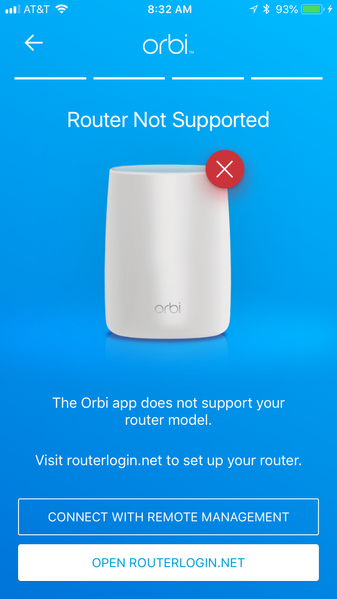
Orbi "Router Not Supported" message
Hi,
I tried to set up an Xfinity xFi modem in bridge mode with an Orbi as my router. I got this error message when trying to set up. Has anyone else ever gotten this message? I've had success setti...
dgoldg
Jun 24, 2018Aspirant
Thank you for the advice. It's a Technicolor CGM4140COM modem that's part of the new xfinity Xfi service. I was able to set it up in Bridge mode but hit a snag trying to re-setup the Orbi. I may switch over to the new Xfi pods as a replacement, seems like it'll be one less device between the modem and all the other stuff I connect to it.

FURRYe38
Jun 25, 2018Guru - Experienced User
What was the "Snag" encountered when trying to set up the Orbi?
If you bridged the modem, then the Orbi should work well in Router mode.
- dgoldgJun 25, 2018Aspirant
Going through a new system setup, upon bridging the modem, resulted in the picture I first posted. That happened several times and I couldn't get past that step.
- FURRYe38Jun 25, 2018Guru - Experienced User
Do you have a PC that you can connect to the router and set it up there with a web browser? This will work to get it going.
Not sure why your setting that in the Orbi mobile app.
I have you updated the app recently? What mobile platform are you using?- dgoldgJun 25, 2018Aspirant
Seting it up with a web browser is a good idea, thank you.
The app is updated, I'm on iPhone 6S and always keep u