NETGEAR is aware of a growing number of phone and online scams. To learn how to stay safe click here.
Forum Discussion

bhurt
Mar 10, 2019Aspirant
Orbi settings for nest protect
I cannot get my Nest Protects to connect to my Orbi router. I have tried every suggestion on the message boards and the Nest websites. I tried talking with Nest support but it was not helpful. I am ...
nicholb
Mar 11, 2019Luminary
What part of the process is it failing at?
Step 1 you scan the QR code and the app connects directly to the Protect. The Orbi is not involved in this step.
Step 2 you choose your WiFi network and enter the password. Once the password is entered the Protect attempts to connect to your WiFi. In this step the Protect can ONLY see the 2.4ghz network as it does not have a 5ghz radio. How your phone connects to wifi at this state is irrelevant since once the password is entered your phone is not involved.
Step 3 the app on the phone looks for the Protect to show up on your network. In this step it does not matter how your phone is connected as the Orbi will route between 2.4ghz and 5ghz. As I said before, if this was not true you would not see any of your 2.4ghz devices when connected to 5ghz.
bhurt
Mar 11, 2019Aspirant
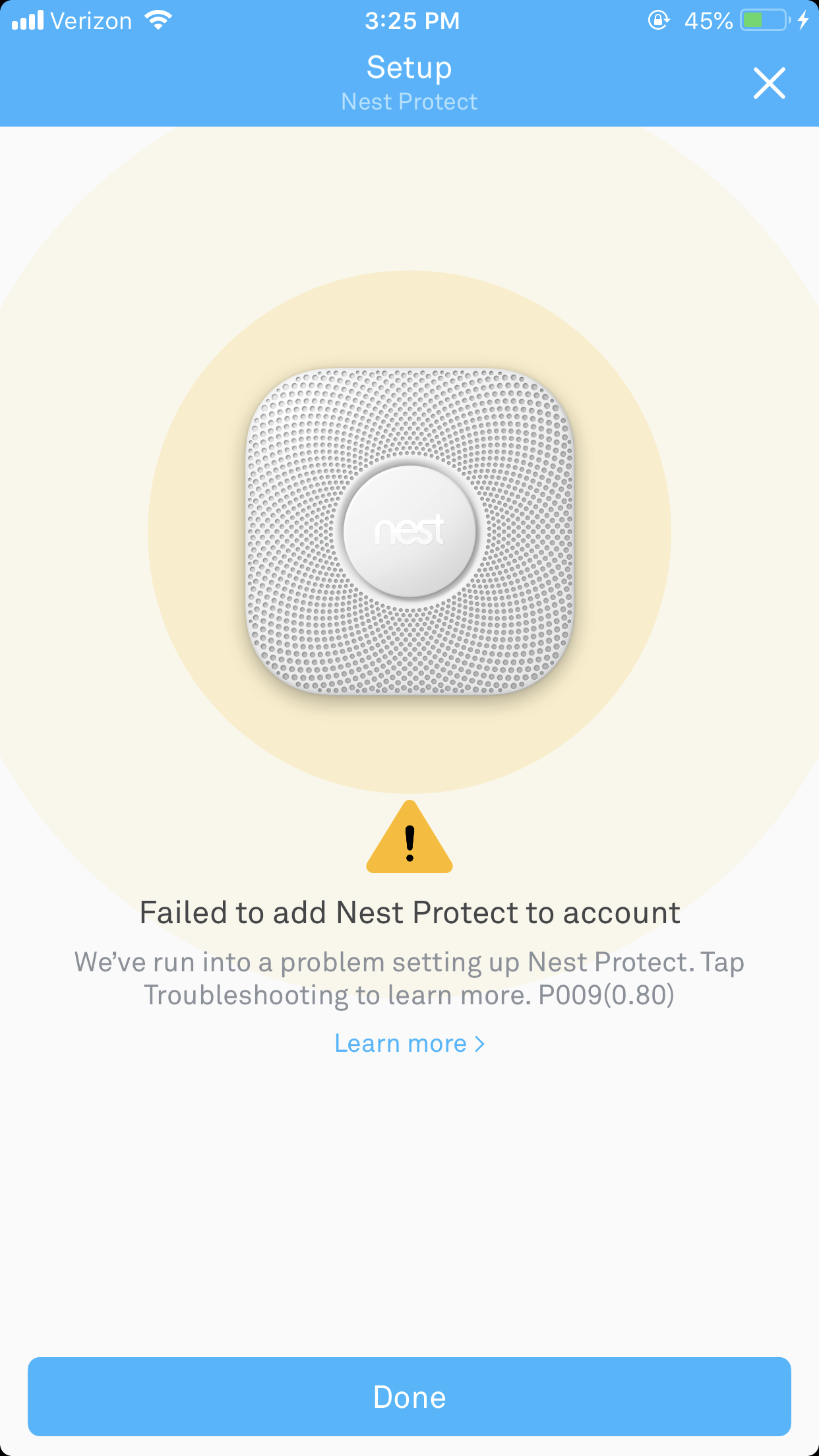
I have attached the screenshot of my error. I have tried everything listed in the troubleshoot Nest website for this kind of error. I am trying to do what people in this thread are saying but there is no where to turn the down the frequency of 5ghz. I attached a screenshot in my other response of that.
- ekhalilMar 11, 2019MasterHave you tried from another smart phone?
- nicholbMar 12, 2019Luminary
At what point do you get that error in the screen shot?
I also did a little Googling of the error message. Two things I found. You may have seen these already.
1. Make sure the room name you are entering has no special characters. Use only letters.
2. A few posts I found mention if you have IPv6 disabled on your local network it will cause this error. Did you shut off IPv6 on the Orbi?
- bhurtMar 12, 2019AspirantThat error comes up during the “finalizing” step. I have not created any custom room names. I’ve only used what the Nest app offers. I did notice the IPV6 was disabled on the orbi router, I have since turned it on and it still won’t connect. I purchased several Nest protects (both wired and battery) and they all have the same error message when trying to connect. We have two Nest thermostats that connect with no issues.
- nicholbMar 12, 2019Luminary
I'm thinking the IPv6 might be the source of the issue. Did you completely reboot your Orbi's and modem after making the change? I'd shut them all off, start the modem and let it finish, then start the Orbi router and let it finish, then any satalites.
I'm not at home right now to look at the IPv6 settings on my Orbi, but some of the screen shots online showed several options. Did you set it to auto detect or one of the other?
Oh, and the thermostat working fits the IPv6 theory. According to what I found only the Protects require it.