NETGEAR is aware of a growing number of phone and online scams. To learn how to stay safe click here.
Forum Discussion

tmlt0912
Apr 20, 2019Aspirant
Orbi setup and some questions
Hello,I have some orbi setting and setup questions.(Sorry my English is poor.)
Beacuse iOS disconnection issue,I referenced to https://bit.ly/2CoOybd
and my brother's Samsung is constantl...
- Apr 22, 2019
What Firmware is currently loaded?
What is the Mfr and model# of the ISP modem the NG router is connected too?
What is the size of your home? Sq Ft?
What is the distance between the router and satellite(s)? 30 feet is recommended in between them to begin with depending upon building materials when wirelessly connected.Try setting manual channel 1, 6 or 11 on 2.4Ghz and any unused channel on 5Ghz.
Any Wifi Neighbors near by? If so, how many?Try enabling Beamforming and MIMO and WMM. Under Advanced Tab/Advanced Settings/Wireless Settings
Try disabling the following and see:
Daisy Chain, Fast Roaming, IPv6 and Set 20/40Mhz Coexistence to 40Mhz only. Save settings and reboot the router and satellite(s).

FURRYe38
Apr 22, 2019Guru - Experienced User
What Firmware is currently loaded?
What is the Mfr and model# of the ISP modem the NG router is connected too?
What is the size of your home? Sq Ft?
What is the distance between the router and satellite(s)? 30 feet is recommended in between them to begin with depending upon building materials when wirelessly connected.
Try setting manual channel 1, 6 or 11 on 2.4Ghz and any unused channel on 5Ghz.
Any Wifi Neighbors near by? If so, how many?
Try enabling Beamforming and MIMO and WMM. Under Advanced Tab/Advanced Settings/Wireless Settings
Try disabling the following and see:
Daisy Chain, Fast Roaming, IPv6 and Set 20/40Mhz Coexistence to 40Mhz only. Save settings and reboot the router and satellite(s).
tmlt0912
Apr 23, 2019Aspirant
FURRYe38 wrote:
What Firmware is currently loaded?
V2.3.1.48
What is the Mfr and model# of the ISP modem the NG router is connected too?
DASAN H660WM
What is the size of your home? Sq Ft?
What is the distance between the router and satellite(s)? 30 feet is recommended in between them to begin with depending upon building materials when wirelessly connected.
I don't know...But router and satellite(s) distance one floor.
Try setting manual channel 1, 6 or 11 on 2.4Ghz and any unused channel on 5Ghz.
Any Wifi Neighbors near by? If so, how many?
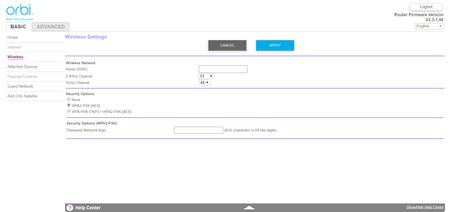
2.4Ghz channel is 1,and 5Ghz is 44.No,only Orbi in my house.
Try enabling Beamforming and MIMO and WMM. Under Advanced Tab/Advanced Settings/Wireless Settings
It' enable.
Try disabling the following and see:
Daisy Chain, Fast Roaming, IPv6 and Set 20/40Mhz Coexistence to 40Mhz only. Save settings and reboot the router and satellite(s).
OK,So I will disable Daisy Chain, Fast Roaming, IPv6?
And how to Set 20/40Mhz Coexistence to 40Mhz?I only see "Enable 20/40Mhz Coexistence" chose...
Thank you!