NETGEAR is aware of a growing number of phone and online scams. To learn how to stay safe click here.
Forum Discussion

bigbruin
Jan 11, 2021Aspirant
RBK53 System Acting Odd Lately
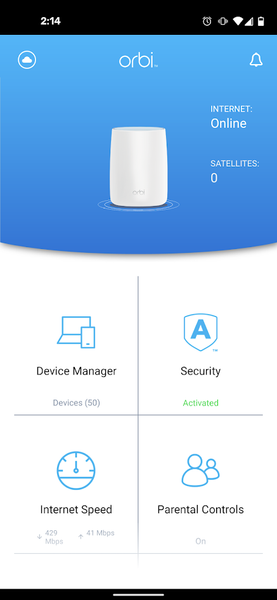
I have an RBK53 system with the RBR50, 2x RBS50's, and a RBS20 I added later. The two RBS50's are hardwired back to the RBR50, while the RBS20 uses a wireless backhual. They have been up and runnin...

FURRYe38
Jan 11, 2021Guru - Experienced User
Has a factory reset and setup from scratch been performed since last FW update? Something I would try since you got v102. I would also NOT enabled Armor after the reset. Setup the system again with out it and check it first.
What is the distance between the router and satellite(s)? 30 feet or more is recommended in between RBR and RBS to begin with depending upon building materials when wirelessly connected.
What is the Mfr and model# of the Internet Service Providers modem/ONT the NG router is connected too?
- bigbruinJan 11, 2021Aspirant
Hi - Thanks for the ideas. No, I have not factory reset, and was hoping to not have to go there. I would need a backup of all the settings, and those pages are some that struggle to load.
The devices are all spread out, most with at least one floor of wood construction in between them. They had all been working fine, and coverage had been good. The RBS20 is the most remote, at least 30 feet from the closest other satellite and is currently the only wireless one since I have not routed a wire to it yet. When it is showing in the network map it does bounce between the two other satellites, so maybe 40 feet across one floor - or 30 feet but through one floor.
I have a Netgear CM600 cable modem.
Not sure it really matters, but are the images I attached loading? They look fine in edit mode, but on the post they are just ! icons.