NETGEAR is aware of a growing number of phone and online scams. To learn how to stay safe click here.
Forum Discussion

arn0ld
Oct 13, 2021Aspirant
RBR50 got problem with satellite
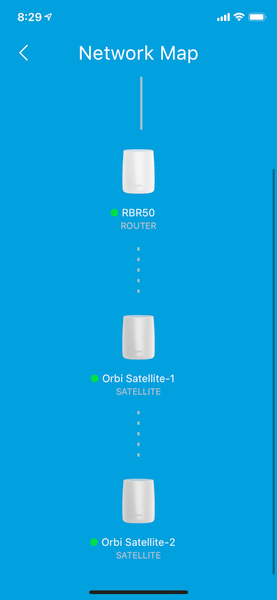
Hello, i have netgear orbi system at home with 1 router RBR50 and 2 Satellite RBS50. My house have 4 floor, i setup the router RBR50 at 1 floor, the 1 satellite at 2nd floor and the second satellite...


FURRYe38
Oct 14, 2021Guru - Experienced User
What is the Mfr and model# of the Internet Service Providers modem/ONT the NG router is connected too?
What is the size of your home? Sq Ft?
What is the distance between the router and 📡 satellite(s)? 30 feet or more is recommended in between RBR and RBS📡 to begin with depending upon building materials when wirelessly connected.
https://kb.netgear.com/31029/Where-should-I-place-my-Orbi-satellite 📡
What channels are you using? Auto? Try setting manual channel 1, 6 or 11 on 2.4Ghz and 40 to 48 channel on 5Ghz.
Any Wifi Neighbors near by? If so, how many?
https://kb.netgear.com/19668/Link-Rate-and-Transfer-Speed
https://kb.netgear.com/31211/At-what-speed-and-bandwidth-can-my-Orbi-system-transmit-data
Try disabling the following and see:
Daisy Chain, Under Advanced Tab/Advanced Settings/Wireless Settings
One User Experience/Configuration:
https://community.netgear.com/t5/Orbi/Most-Stable-Orbi-Configuration/m-p/1941087/highlight/true#M97026
Has a factory reset and setup from scratch been performed since last FW update? A complete pull of the power adapters for a period of time after the factory reset then walk thru the setup wizard and setup from scratch.