NETGEAR is aware of a growing number of phone and online scams. To learn how to stay safe click here.
Forum Discussion

gburra63
May 04, 2022Aspirant
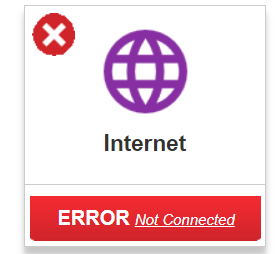
RBR50 says not connected to Internet but I am still online
Hello, I have an RBR50 with 4 satellites attached to it. The RBR50 connects to my broadband modem. I am able to go online without any problems. However, when I go to the Orbi tool, I get the error me...
gburra63
May 05, 2022Aspirant
Thanks for your response.
If it were a double NAT, I don't understand how I am actually able to be on-line - in other words, wouldn't that prevent me from getting internet access due to the two NAT's fighting each other?
Thanks

plemans
May 06, 2022Guru - Experienced User
When you're in a double nat, some people experience different issues. Usually you're still online but the process that checks if you're online, doesn't function properly. Thats why you're online but not showing as online (usually)
- gburra63May 06, 2022Aspirant
Hi again, sorry for the bother, but I am still not able to resolve this. Here is my set up
Xfinity modem that is NOT in Bridge mode (the wifi on this modem has been shut off) --> This is the one that is eventually connecting to the outside world (and so is not in Bridge mode)
Connected via ethernet to RBR50 that is in Router mode to which I have 4 satellites (2 RBW30, 1 RBS50 and 1RBV40) connected via mesh. The firmware on the RBR50 is current (v2.7.3.22)
I have completely reset my Orbi system and re-configured it again (twice). I am still getting the same issue
I am failing to see where the NAT conflict is. In other words, there is only one place - am i right?
Thanks again for all the help.
- plemansMay 07, 2022Guru - Experienced User
shutting off wifi doesn't disable router mode. It still leaves you in a double nat.
A double nat happens when you cascade more than 1 router.
https://kb.netgear.com/30186/What-is-Double-NAT
Fixes? There’s 3 options but only use 1.
1. Put the modem/gateway in modem only/pass through mode. This disables its routing functions.
2. Leave the modem/gateway in router mode but put the Netgears IP address into its DMZ. This forwards the data to the netgear. You can either leave the modem/gateway’s wireless enabled or disabled. Just make sure its using a different wifi channel to prevent interference
3. Put the Netgear into access point mode. This disables its routing functions. Wifi/ethernet still works but it does disable some features.
https://kb.netgear.com/26765/Which-features-are-disabled-on-my-NETGEAR-router-when-it-is-set-to-AP-Mode- gburra63May 07, 2022Aspirant
Hi, Thank you for the patient replies. I managed to solve it - turns out it was not a double NAT (or so I think) at all, but rather I had turned up the "firewall" on the Xfinity modem to "high" - so, it was allowing some/most internet traffic through but was not allowing the router to "connect" to the internet.
Turning the modem firewall down to minimum but setting the firewall on Orbi to be high seems to have solved the issue.
Thanks again,