NETGEAR is aware of a growing number of phone and online scams. To learn how to stay safe click here.
Forum Discussion

AmitR
Feb 13, 2018NETGEAR Employee Retired
OrbiOS MR 2.1 issues
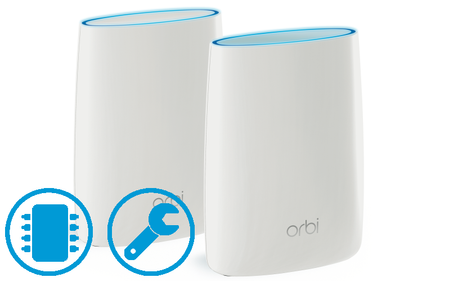
I wanted to reach out to provide a quick update on OrbiOS 2.1 software. We believe that these issues are affecting some users. Rest assured that we've been following this issue and working hard beh...

FURRYe38
Mar 02, 2018Guru - Experienced User
Hoping that DMZ on the ISP modem can help rule out this issue or a HW issue. Time will tell when he gets back from trip.
AmitRwrote:I wanted to reach out to provide a quick update on OrbiOS 2.1 software. We believe that these issues are affecting some users. Rest assured that we've been following this issue and working hard behind the scenes to address it. In the meantime, to those that are affected, I understand the frustration that you've been feeling. In response, we're taking the following actions:
1. We've paused the auto-firmware upgrade to MR2.1 and are re-posting MR 2.0 as the "latest" software for Orbi. What that means is that new customers will, upon first install, get upgraded to OrbiOS 2.0. They will not be able to use features introduced in OrbiOS 2.1 like Ethernet Backhaul or Circle. This will happen in the next 24 hours. Existing customers, can do a manual software upgrade back to MR 2.0 and it will stick until further notice.
For those interested in OrbiOS 2.1 features, We will post OrbiOS 2.1 available on the web server for customers who want to manual upgrade.
2. Customers who are having connectivity issues on MR 2.1 are encouraged to contact Support. We will try to help everyone. Bonus points if you're willing to work with us. We have some debug software available.
3. As more information is available, we'll keep you updated through the Community.
As an FYI, if you're having issues, a couple of quick & easy ways to self serve
1. Ensure that your Router & Satellite(s) are running the same (to the 3rd digit) of software. Best way to find this is on the Web UI (orbilogin.com. Advanced -> Admin -> Firmware Update).
2. Rebooting the system. Do this manually by unplugging & replugging in the Router & Satellites.
3. If you're having slowness when connected to the Satellite, moving it closer to the Router or to a different location
Orbi Product Management Team

ronaldvr2132
Mar 03, 2018Apprentice
Any update on the status and ETA of new firmware? I have read in another thread that in the 2.2 beta firmware version the ethernet wired backhaul is more stable which would be much appreciated. With all the issues surrounding the Orbi, also was confirmed by Netgear, I have been waiting patiently on new firmware. This week one of my kids didn't have Wi-Fi, although being close to a satellite, I rebooted my RBK50 router via the web interface resulting in a lot of issues on my wired network (whereas the router and satellite are connected to each other for the wired ethernet backhaul). Ultimately powering off the router and satellite and then powering on first the router and then the satellite solved this, but I am far from impressed so far. With most of my other network gear to be from Netgear I expected a way better solution. I hope that someone can give an ETA for new firmware that delivers on the promises that Netgear made on the Orbi.
- FURRYe38Mar 03, 2018Guru - Experienced User
NG doesn't usually post any ETAs on released. You just have to keep an eye on the FW download page. I'm hoping soon as well.
In mean time,
What is the Mfr and model# of your ISP modem? Built in router by chance? Or stand alone?
Try disabling any of these features on your Orbi router to see if anything helps:
Beamforming, MIMO, Daisy Chaining or Fast Roaming. Others have mentioned that disabling MIMO, Daisy Chaining or Fast Roaming has helped with there systems...
Any other wifi nieghbors near by? Do scan and see whos around you. How many are there and what channesl are they using?
Try setting WPA2 and AES only on the Orbi router.
ronaldvr2132wrote:
Any update on the status and ETA of new firmware? I have read in another thread that in the 2.2 beta firmware version the ethernet wired backhaul is more stable which would be much appreciated. With all the issues surrounding the Orbi, also was confirmed by Netgear, I have been waiting patiently on new firmware. This week one of my kids didn't have Wi-Fi, although being close to a satellite, I rebooted my RBK50 router via the web interface resulting in a lot of issues on my wired network (whereas the router and satellite are connected to each other for the wired ethernet backhaul). Ultimately powering off the router and satellite and then powering on first the router and then the satellite solved this, but I am far from impressed so far. With most of my other network gear to be from Netgear I expected a way better solution. I hope that someone can give an ETA for new firmware that delivers on the promises that Netgear made on the Orbi.- gmathurMar 06, 2018Initiate
If someone from Netgear can confirm the top issues they are tracking for their next release (if not an ETA), that would be valuable and help to set expectations with the community.
The 2.1 releases have horrible stability issues (as already discussed aplenty) and life is much better on the 2.0 side -- but even with this there are periodic wipeouts happening. Has that been root caused and should we expect a fix for just basic networking being rock solid?
- FURRYe38Mar 06, 2018Guru - Experienced User
NG usually posts whats fixed when the builds are released. Usually don't post anything on whats up coming in there builds.
You can always ask if there is a Beta build available from NG phone support if your experiencing continued problems after reverting back to v2.0.1.4 FW.
gmathurwrote:If someone from Netgear can confirm the top issues they are tracking for their next release (if not an ETA), that would be valuable and help to set expectations with the community.
The 2.1 releases have horrible stability issues (as already discussed aplenty) and life is much better on the 2.0 side -- but even with this there are periodic wipeouts happening. Has that been root caused and should we expect a fix for just basic networking being rock solid?