NETGEAR is aware of a growing number of phone and online scams. To learn how to stay safe click here.
Forum Discussion

Mmmmad
Oct 07, 2020Tutor
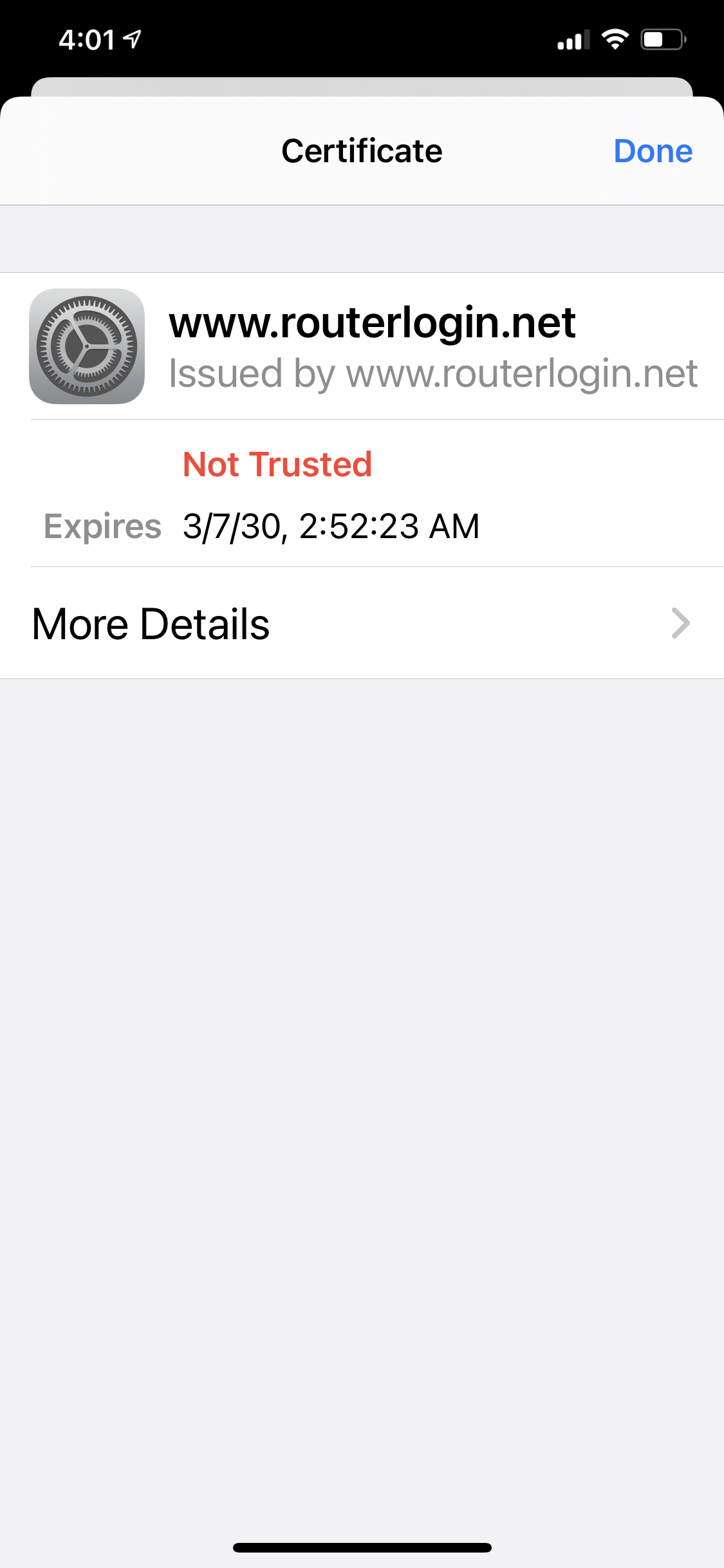
Routerlogin.net certificate “not trusted”
In the Orbi app on my iPhone I was viewing a list of all my family's devices connected to our wi-fi. I turned one older device off, sliding the green button to the right in the Orbi app. Then, I chan...
Mmmmad
Oct 08, 2020Tutor
Thanks for the reply, but I just can't wrap my head around the idea that using an app in the way it was intended would cause JUST my phone (none of our other devices) to not trust the netgear certificate and not be able to use wifi through our Orbi routers. I called Orbi's customer service and was told I'd need to pay $90 or more for software assistance.
I DID love our Orbi but have lost my trust may end up returning them for a different brand.

FURRYe38
Oct 08, 2020Guru - Experienced User
If your using Apple product and iOS 14 on your phone, then this is a Apple issue. Apple has implemented newer security features on there products which are causing problems for older and current apps and there iOS to report these as security problems.
For the web page and certificate, most web browser report this and some are also wanting to use a more secure connection to the routers web page. Honestly, this isn't a major concern for most home users as there is usually only one person managing the routers web page and features and doing only one log in. Anyone doing nefarious things would have to be on the LAN side to try anything with the routers web page. Thus the HTTPS isn't really needed when users are manageing the router from home.
Good Luck in your endeavours.