NETGEAR is aware of a growing number of phone and online scams. To learn how to stay safe click here.
Forum Discussion

mickiii
Aug 01, 2017Tutor
Satellite connected to 2.4 Ghz, not 5 Ghz?
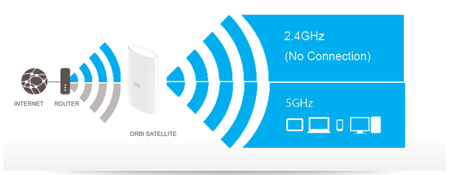
Just set my system up, updated to latest firmware, but now downgraded to see if that solved anything. Currently I am on 1.11.0.20. When connecting to the satellite, I get the picture below showing 2...
dagdag
Nov 04, 2017Aspirant
I am having the same issue. Is there a solution?
vtrusty
Nov 20, 2017Star
ditto, same issue. what's going on here. any fix?
- Retired_MemberNov 20, 2017
Yes, the fix is to move the sat closer to the router.
- vtrustyNov 22, 2017Star
i honestly can't tell if that was sarcasim or an honest fix haha. out of the box my Orbi was capable and had no issues with the 5ghz backhaul, my sat has been in the same spot, the only change is the firmware.
i only have a 2 level house, the sat is nearly directly above the router. whomp whomp
- Retired_MemberNov 22, 2017
vtrusty wrote:i honestly can't tell if that was sarcasim or an honest fix haha. out of the box my Orbi was capable and had no issues with the 5ghz backhaul, my sat has been in the same spot, the only change is the firmware.
i only have a 2 level house, the sat is nearly directly above the router. whomp whomp
Not sarcasm. The range started decreasing a lot starting with the 2.0.x releases. Previously, my sats worked for 6 months at distances of up to 60 feet, but now it's down to less than 30. No changes in the wireless environment. If the magenta flashes, you need to move them closer.