NETGEAR is aware of a growing number of phone and online scams. To learn how to stay safe click here.
Forum Discussion

sandman512
Jan 09, 2021Apprentice
Trying to add a satellite to my RBR 50 mesh system.
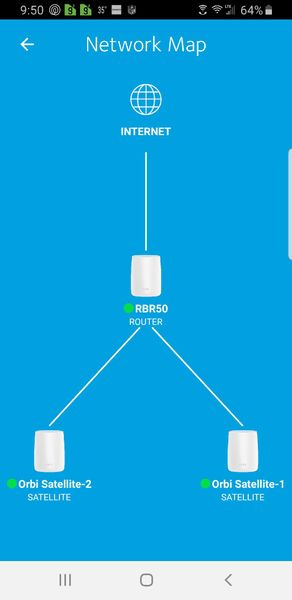
So, currently have a RBR mesh system with TWO RBS satellites. I am attempting to add an additional RBS 50 and for some reason having massive trouble. I ran a CAT cable from one of the existing sate...
- Jan 11, 2021
Good to hear. You'll want to review your CAT5 cabling. CAT5 doen't support full 1000Mpbs connections well. CAT6 is recommended.
Please mark your thread as solved.
Enjoy. :smileywink:
sandman512 wrote:Update, so I was able to successfully configure it. First, I hard reset the "new" satellite. Next, I added it to my existing network(wireless). I then plugged a CAT5 cable from one of my existing satellites to the "new" one. All good now! Thank you!


CrimpOn
Jan 09, 2021Guru - Experienced User
sandman512 wrote:So, currently have a RBR mesh system with TWO RBS satellites. I am attempting to add an additional RBS 50 and for some reason having massive trouble. I ran a CAT cable from one of the existing satellites to the "new" satellite I am trying to add. For some reason it wasn't working. Any advice/input is appreciated. Thank you!
Perhaps one way to approach this question is "one step at a tiime." i.e.
- power up the new satellite in the same room as the router and go through the "Add a Satellite" process using WiFi. This validates that the satellite works correctly.
- Once the satellite adds successfully, connect it to the router using an ethernet patch cable. Within a few minutes, the satellite should recognize the ethernet connection and switch from WiFi backhaul to ethernet backhaul. This validates that the satellite can use the ethernet backhaul.
- Move the satellite to the desired location and connect to the Cat? cable. If it does not connect, the cable is suspect.