NETGEAR is aware of a growing number of phone and online scams. To learn how to stay safe click here.
Forum Discussion

jmbarbs
Apr 28, 2017Apprentice
V 1.9.1.12 Lost ability in attached devices to see if attached to Router or Sat
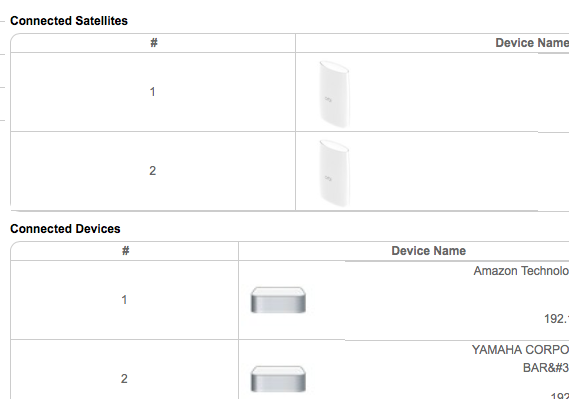
Just checked what else is different in new release and found Netgear have removed the option to click into a device name in attached devices (wheras before you pressed enter and it would then list al...

scalesusa
Apr 28, 2017Aspirant
I'm new here, I just bought the 3 piece set from Costco yesterday, and updated the firmware last night. I've been playing with configuring it as a AP and finding good locations this morning when the new firmware popped up. I updated and was looking for what changed. Since I just changed over to a AP a few minutes ago, I had not seen the screen with the connected devices on the router.
As far as attached devices go, it took a few minutes, and suddenly the wireless devices popped up at the bottom of the list, my phone and tablet. Clicking into it showed the ip, Mac, and Device Name, which can be edited.
I was also trying out how to configure the radio channels to match those that a wi-fi analyzer app said were fastest. It may be looking at the link channels, because I could not change those channels.
- dpdurstApr 29, 2017Luminary
Yep the only way to tell now is to log into the Sat and look at the connection list there. I wish they would stop making changes like this to the GUI, getting old having something useful, taking it away, putting it back. Make your damn minds up, make it work and tell us in the release notes why or why not.
Great product, your constant little changes like this really piss people off
 bsholbrookApr 29, 2017Apprentice
I had the same issues, preformed a factory reset (paper clip) and now is showing quite a bit of detail. Here is a screen snippet...