NETGEAR is aware of a growing number of phone and online scams. To learn how to stay safe click here.
Forum Discussion

jeraboom
Oct 13, 2020Star
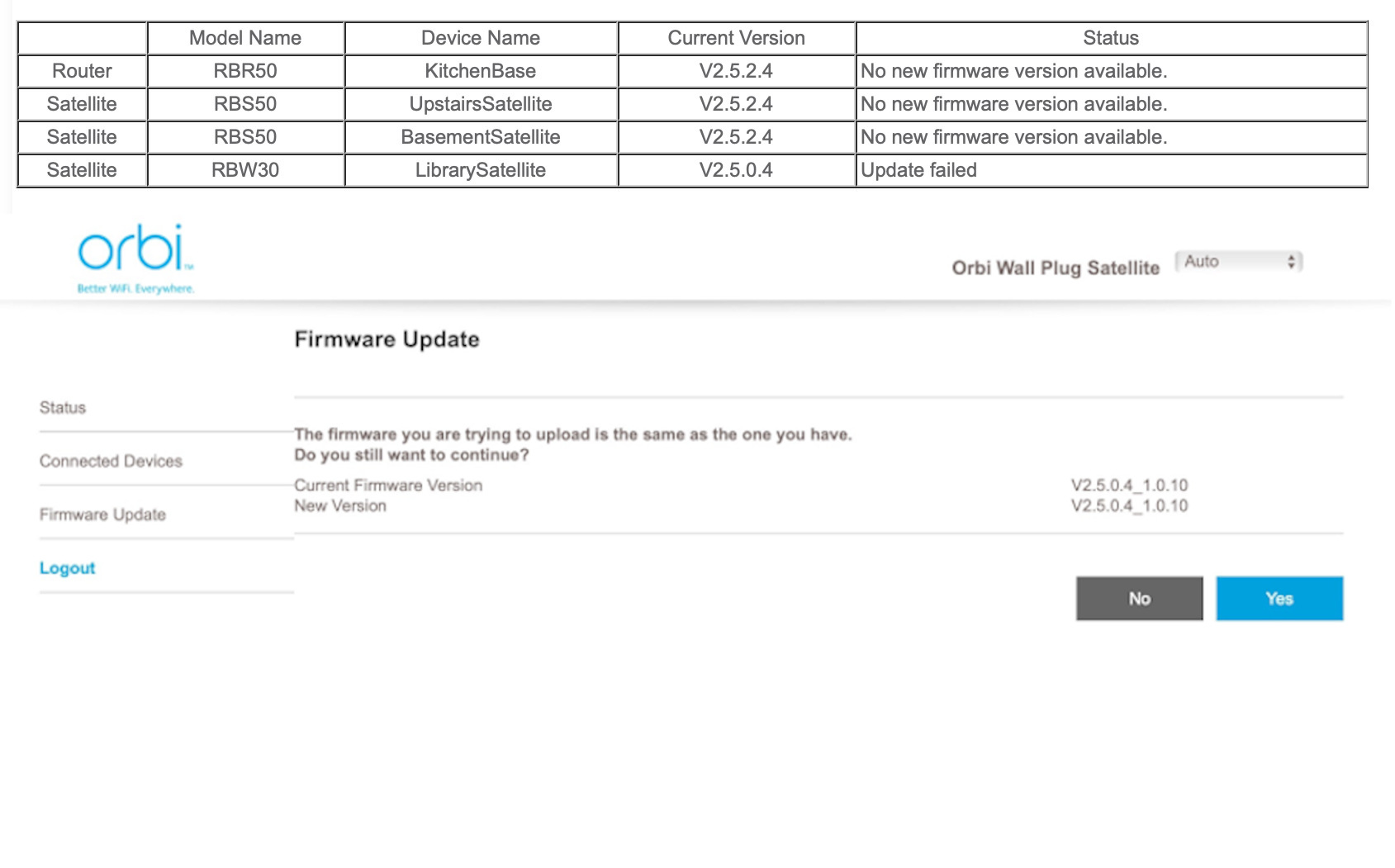
Web UI says RBW30 Update Failed, but there is no update available.
I have a system with an RBR50, 2 RBS50s, and 1 RBW30. When I use the router Web UI to check for firmware updates, it first attempts to download new firmware for the RBW30 and then says "Update Faile...
 Oct 20, 2020
RBW30 latest firmware v2.6.1.6 has been posted on the Support Site. Here's the link:
https://kb.netgear.com/000062471/RBW30-Firmware-Version-2-6-1-6
Regards,
Blanca
Community Team

FURRYe38
Oct 21, 2020Guru - Experienced User
Do you have access to the RBWs web page? Look for the IP address on the RBRs connected devices page. Use the IP address given to the RBW to access it's web page. Log in will be same as RBR.

Tgterm
Oct 21, 2020Guide
good thought, except the RBW30 does not accept the password I use to gain access to my RBR50. I even try the default password, and no joy. One hurdle after another. Any thoughts on how to reset the RBW30 password or why it does not accept the password from my RBR50?
Thanks!
- FURRYe38Oct 21, 2020Guru - Experienced User
Check the user manual for password defaults...
Try a factory reset with the RBW and re-sync it to see if it will connect and the the admin and PW from the RBS50...I believe it should