NETGEAR is aware of a growing number of phone and online scams. To learn how to stay safe click here.
Forum Discussion

Chien35
Mar 02, 2018Tutor
Firmwar update problem on Nighthawk MR1100
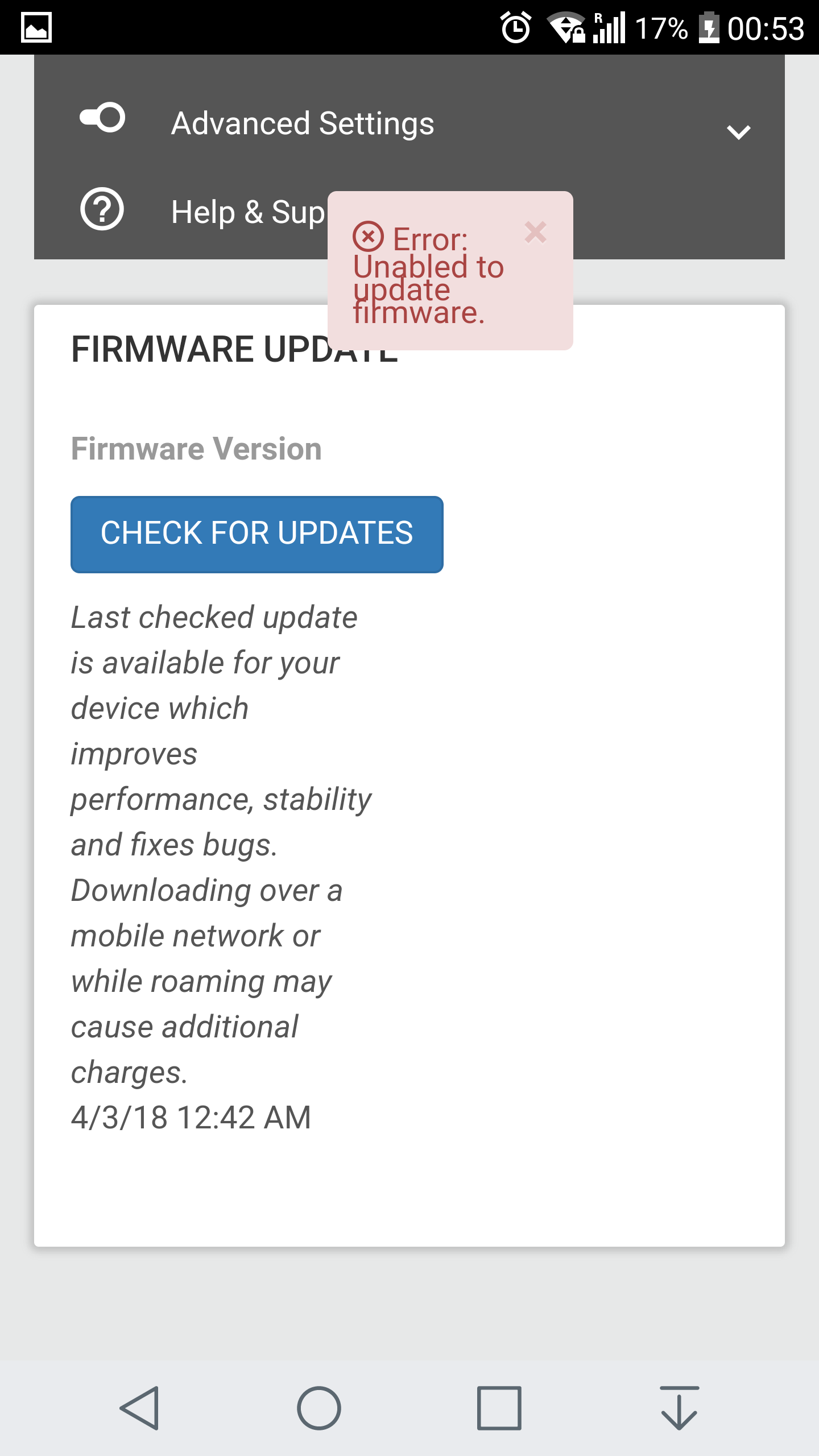
I'm on firmware NTG9X50C_10.12.02.01 and I have problem update the firmware. First try Check for Updates but only show CHECKING so I try Factory Reset and have the new firmware available to ...
- Mar 09, 2018
The problem is solved now because the new firmware just update today and now we can manually update the firmware by select the firmware file.
Chien35
Mar 03, 2018Tutor
Chien35
Mar 03, 2018Tutor
- michaelkenwardMar 03, 2018Guru - Experienced User
For the benefit of other viewers.
Never seen that before.
Do you have an ad blocker active?
How are you doing this? Browser? App?
- Chien35Mar 03, 2018Tutor
No ads blocker installed on my phone and computer.
I tried on my phone and computer with browser and app on my phone.
- UK-basedMar 06, 2018Luminary
Are you running the MR1100 without a battery? If so, my experience is that it won't update because the firmware/software is currently programmed to check that the battery has at least 20% charge before it will update. So if you're running with a battery, make sure it's charged above 20%.
I hope the firmware/software will be changed to allow updates to proceed when running solely on a mains charger, provided that the charger is supplying adequate power, i.e. 2.4A and preferably Qualcomm QuickCharge 2.0 compatible. The standard 2A mains charger that has been supplied to date is inadequate to run the MR1100 reliably without an installed battery - it frequently reboots when under any power-consuming "stress".