NETGEAR is aware of a growing number of phone and online scams. To learn how to stay safe click here.
Forum Discussion

derek42
Mar 30, 2021Aspirant
MR1100. Disappointed
Disappointed in this mobile router. I have tried to connect the M1 to 5 different WiFi routers at work and it won't data offload by WiFi to any. It will connect by ethernet. Sometimes I get a warn...
W1lliam
Mar 30, 2021Virtuoso
to avoid IP address conflicts, you need to configure IP address on M1 over different subnet from the one you have connected via Ethernet. Data offload is working only if you reboot M1 after configured, and Ethernet standby needs to be disabled.
TS-9 antenna port only provide alternative antenna path for lower bands, it needs sort of DIY to export high band antenna connection as attached photo.
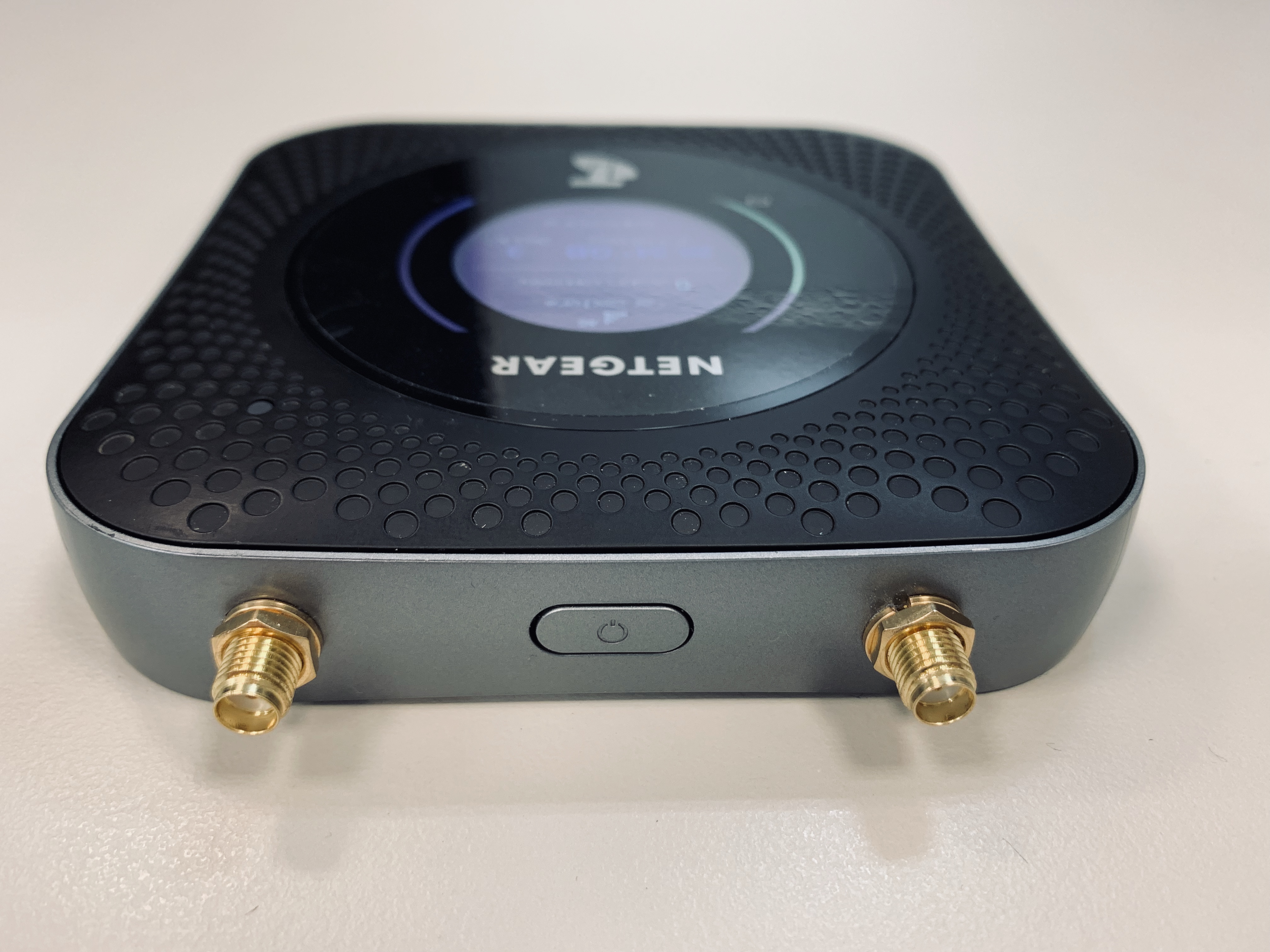
- derek42Mar 31, 2021Aspirant
Thanks for your speedy, its much appreiated.
1) How do I find an ip address of a password protected WiFi network?
2) If Ethernet connection is not available how do I find the ip address?
3) Assuming I can find its ip address what range do I have to set the M1?
4) Do you know a company that sells the antenna adapters?
Derek
- W1lliamMar 31, 2021Virtuoso
1) How do I find an ip address of a password protected WiFi network?
>>you can obtain IP address(es) by command "ipconfig" if you are on Windows
2) If Ethernet connection is not available how do I find the ip address?
>>If you like to offload over WiFi, Ethernet should be ON all the time, or this won't work
3) Assuming I can find its ip address what range do I have to set the M1?
>>Just configure your M1 on different IP subnet, for example, if your WiFi IP address is on 192.168.1.x, then you need to configure M1 over 192.168.2.x as they can't be on same subnet
4) Do you know a company that sells the antenna adapters?
>>You can just search LTE antenna on Amazon, or eBay. But need to pay attention on its connector, for TS-9
- derek42Apr 01, 2021Aspirant
I've changed to M1 ip to 192.168.2.1. Starting 192.168.2.20 End 192.168.2.99
On the MacBook WiFi properties give the IP address I’m trying to connect to gives 192.168.0.11 (web page log in 192.168.1.1)The IP address given on the MacBook properties for M1 is 192.168.2.28. Passthrough is off.It still won’t connect. I can connect with the original M1 setting 192.168.1.1 and connect with ethernet cable.Don't understand:2) If Ethernet connection is not available how do I find the ip address?
>>If you like to offload over WiFi, Ethernet should be ON all the time, or this won't work
In data offloading WiFi and ethernet cant both be selected at the same time.
Or does it mean that if I'm in a cafe that I have to connect to an ethernet outlet?