NETGEAR is aware of a growing number of phone and online scams. To learn how to stay safe click here.
Forum Discussion

Jmsmbry
Dec 22, 2019Guide
MR1100 new firmware
I recently received an email from Netgear informing me to update firmware to version 12.06.08.00 ; however, the MR1100 says that version 12.05.05.12 is current and up to date. No option to download n...
Leaf_Ericsson
Dec 23, 2019Aspirant
Mine actually just now auto restarted and updated to 12.05.05.12 and when double checking in the device gui to see if there are any newer versions, it confirms this one is too with a build date of 2019/11/26. I am also quite confused.
- dv83dDec 23, 2019Aspirant
Mine shows 12.05.05.12 11/26/19 build date as well I’m sure it’s a newer firmware because before w/ AC charger plugged in w/o battery restarting mobile router would power it off. This new firmware w/o battery I can restart router stays on.
- BeAuMaNDec 24, 2019Tutor
I just received a forced updated on my m1 (on AT&T), with no battery in it, and it goes into this state of rapidly flashing blinking amber light. Restarting it says it's updating and not to restart, yet it stalls with no screen display. I'm hoping the update didn't fry my mobile hotspot.
Edit: Update: Had to basically restart it a bunch of times until it chugged through the update. Now it seems to work.
- firefishDec 31, 2019Aspirant
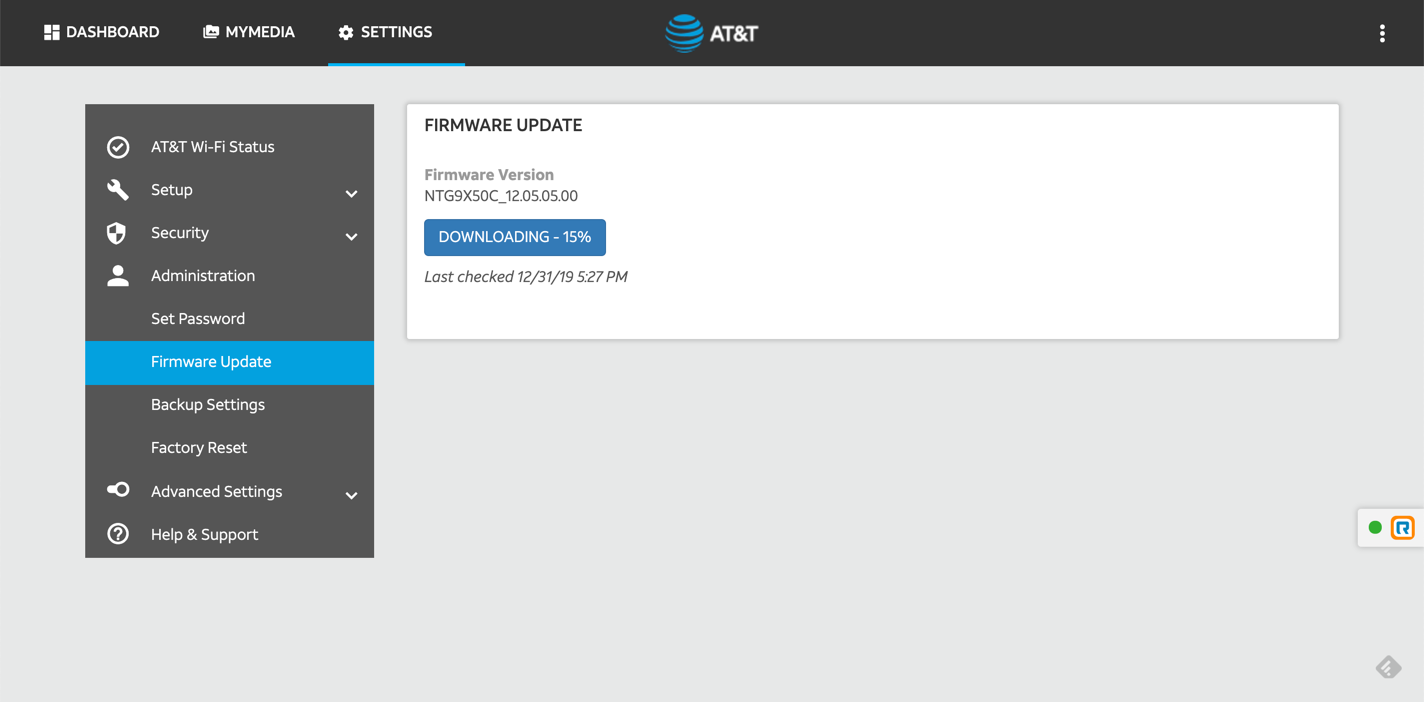
I just randomly clicked Check For Firmware Update as I usually do and to my surprise, there's an update being downloaded.
The question remains: What does this long-awaited update actually bring? The 'release notes' on specify two fixes, but I can't believe that this update which took so long to arrive only has two fixes.
Bug Fixes:
- Resolved the issue where the device may reboot when using the device without a battery
- Resolved the issue where the Ethernet standby timer setting is not displayed.
Is that all that this update includes???
Screenshot of integrated firmware update attached.