NETGEAR is aware of a growing number of phone and online scams. To learn how to stay safe click here.
Forum Discussion

tickertapes
May 24, 2021Aspirant
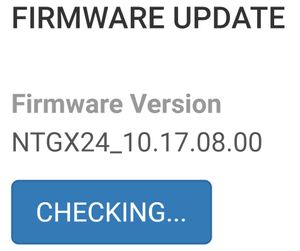
Nighthawk MR2100 firmware checking and wont update
Does anyone know if theres a way to check for a firmware update? I'm currently using an O2 sim but have tried EE and Vodafone but dont seem to be able to contact Netgear's servers.

Blanca_O
May 26, 2021NETGEAR Employee Retired
Hi tickertapes
May we please know the device SKU (e.g. MR2100-1TLAUS)? This can be checked on the box of the product or on the barcode label.
Regards,
Blanca
Community Team
- tickertapesJun 06, 2021Aspirant
Hi,
My router is up in the loft as it is connected to some roof antennas.
Is this information sufficient?
Paul.
- michaelkenwardJun 06, 2021Guru - Experienced User
tickertapes wrote:
Hi,
My router is up in the loft as it is connected to some roof antennas.
By router, do you mean the MR2100 and not something else? As I explained, your device is not something that some of us would call a "router".
The SKU is a label on the thing. You need to tell Blanca_O what that says. If you still have the box it came in, the SKU should be on that
It may be some time before you images land. To ensure that you aren't posting anything naughty, a Netgear moderator has to approve the pictures.
You can attach images to messages without any delay.
- beeculpaJun 10, 2021Aspirant
Blanca_O wrote:Hi tickertapes
May we please know the device SKU (e.g. MR2100-1TLAUS)? This can be checked on the box of the product or on the barcode label.
I'm having the similar issue but on MR1100 and this is my SKU: MR1100-1TFUKS
The installed firmware version is 12.06.03.00, which I cannot upgrade.
-S
