NETGEAR is aware of a growing number of phone and online scams. To learn how to stay safe click here.
Forum Discussion

Teewee4134
Sep 29, 2017Guide
MR1100
On the LCD screen of the Nighthawk M1 Show 4G but am surprised its not showing 4G+ Has anyone ever seen 4G+ on their MR1100?
 Nov 14, 2017
Hi Teewee4134
If you are using the Telstra MR1100 then you will never see 4G+ RAT icon as this was never implemented on this SKU. The only way you can determine your device is doing carrier aggregation is if you are seeing over 150Mbps on the downlink.
Kind Regards,
ArodiD

TeeJay74
Oct 01, 2017Virtuoso
Then you should be able to check MR1100 AT!GSTATUS? listing to see what is happening with primary and secondary component carriers.
Teewee4134
Oct 01, 2017Guide
What is AT!GSTATUS?
- TeeJay74Oct 01, 2017Virtuoso
It is modem AT-command.
- Teewee4134Oct 01, 2017GuideQuestion
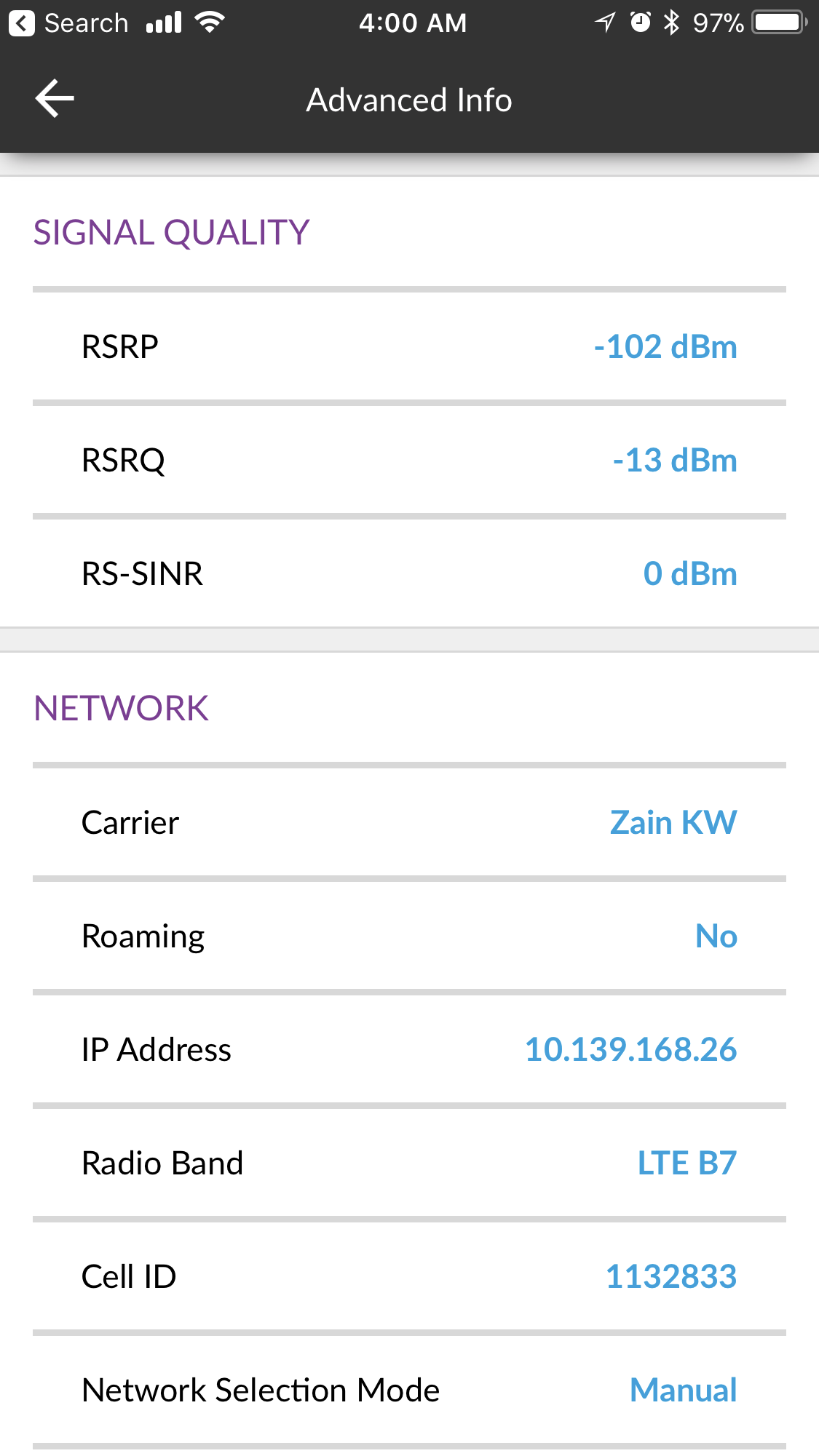
I observed something the RS-SINR on my Nighthawk M1 is 0dBm and it doesn’t change
but my Aircard 810 it changes 17dBm or 12dBm or 10dBm
See my results below
I use the netgear mobile app to log into both routers:
AirCard 810S Advanced info for Signal Quality
RSRP -86dBm
RSRQ -11dBm
RS-SINR 14dBM
Nighthawk M1 Advanced info for Signal Quality
RSRP -102dBm
RSRQ -13dBm
RS-SINR 0dBM- TeeJay74Oct 01, 2017VirtuosoIt is firmware software bug.
- Teewee4134Oct 02, 2017Guide
from my Terminal
how to get to this AT!GSTATUS?
- TeeJay74Oct 02, 2017Virtuoso
Because of security policies have been tightened up lately, telnet cannot be used anymore( port is closed). However there is still a way to use AT-commands. I think you should send a private message to some Netgear Community Experts to get more help. Or they may have an alternative solution for your problem.
- Teewee4134Oct 02, 2017GuideThanks