NETGEAR is aware of a growing number of phone and online scams. To learn how to stay safe click here.
Forum Discussion

andreas_schmidt
Sep 27, 2024Aspirant
LAG between stacked M4300 and Extreme Networks X590
Hello.
I want to create LAG between our 2 stacked M4300 and 2 switches X590 from extreme networks. The X590 are managed by the network admin of our university. He says, he has prepared 4 ports for lacp on his switches.
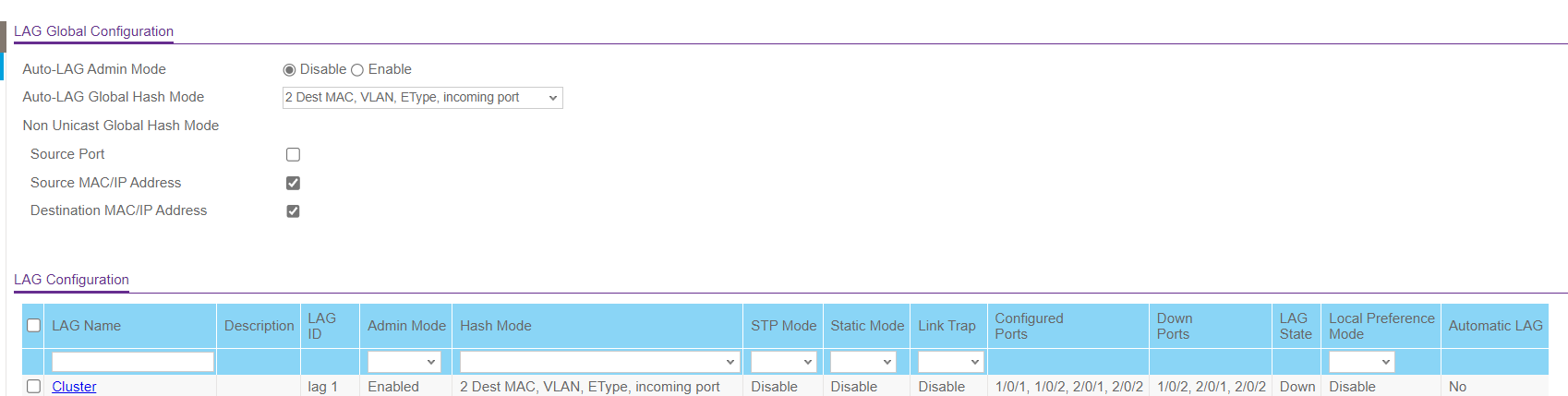
I also create LAG with 4 Ports, but i can not see any resoource on the other side. The port leds on bith sides show link and activity but no echo from any ping to the other side. I have tried all variants of options but nothing works. And the admin of uni "it's a problem of netgear".
I tried:
admin mode enabled/disabled
hashmode 1-6
stp mode enabled/disabled
static mode should be disabled
link trap enabled/disabled
If i use only one of the other ports on the X590 everything works fine with every port of my LAG.
What can I do?
Andreas
3 Replies
- andreas_schmidtAspirant
Update:
LAG is up now. I forgot to set the LAG VLAN as untagged.But I can see that only one port is active, so there is no difference in bandwith using 1, 2 or 4 ports. And that is the reason to create the LAG.
What should I do?
Andreas
- ErwinLNETGEAR Moderator
Hello andreas_schmidt
Were you able to check if the ports you were configuring were set to LACP?
You may check page 376 from the link below.
Have a lovely day,
Erwin
Netgear Team
- ErwinLNETGEAR Moderator
Hello andreas_schmidt
Please feel free to provide feedback so we can move forward in resolving your issue.
Have a lovely day,
Erwin
Netgear Team
Related Content
NETGEAR Academy

Boost your skills with the Netgear Academy - Get trained, certified and stay ahead with the latest Netgear technology!
Join Us!