NETGEAR is aware of a growing number of phone and online scams. To learn how to stay safe click here.
Forum Discussion

kiyuu
Jun 22, 2022Star
Can't Install Bitdefender VPN
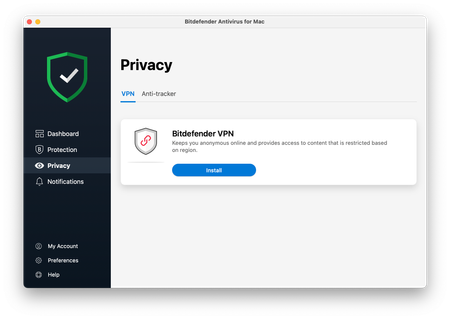
I discovered from browsing the Bitdefender website that the version of Antivirus for Mac provided through armor.netgear.com is not the latest version so I uninstalled it and reinstalled it hoping to ...
med8or
Dec 24, 2022Tutor
Glad you got to work, though a bit surprised as you would have had to approve (with a password) the software install once it downloaded - a mac wouldn't allow software to install on it's own.
Anyways, I'm still completely amazed at the incompetence of the tech support, the finger pointing (Netgear vs BitDefender), the old version of Antivirus for mac that is provided as part of an armor subscription, etc.
Trevor-B
Feb 08, 2023Aspirant
Just upgraded to a Mac Mini with Ventura and I had the same issue - no response from Install VPN button. That's what brought me to this site. However despite getting no response from the button - i.e. I thought nothing happened - it did install VPN - took about an hour and then I got a Bitdefender VPN Notification which alerted me to the fact that it had installed.
- togiFeb 11, 2023Aspirant
As with everyone, I'm having the same problem and not getting any responses from NetgearArmour.
I found this last night saying that at least the 9.2.X.X version is compatible with Ventura and M1.
I have a Ventura/i9 based Mac, but I'm guessing that it's the same problem that everyone else has had with pressing the blue install button and nothing happens....has to be an incompatibility.
https://www.bitdefender.com/consumer/support/answer/3779/
I'm just not sure how to use the current installer and get it to not ask for a validation code...
Todd
- togiFeb 13, 2023Aspirant
All,
I figured it out and it didn't have anything to do with bitdefnder or netgear tech support help but I realized that I had probably installed this at least once or twice (maybe not from the Netgear Armor site), and didn't know that the uninstaller DOESN'T uninstall everything so I used a combination of these two Bitdefender sites (so maybe they did help a little but tech support is still supposed to get back to me) to completely uninstall the Mac antivirus:
https://www.bitdefender.com/consumer/support/answer/1784/
and
https://www.bitdefender.com/consumer/support/answer/1446/
I never found the 3 kext extensions they were talking about and even now with it working, those kext extensions aren't in the Extensions folder, so I wouldn't worry about them.
Once I did that, re-downloaded the netgear armour Mac installer (yes, it's still version 8.4.0.36), and installed it being careful to allow whatever it wanted to do, and it the VPN component installed!
Crazy, not sure what was jamming it up before but I'd give a complete uninstall and a complete reinstall a chance and see if it worked for you like it worked for me.
FYI the VPN install button worked the first time like it's supposed to once I had the clean install on there.
Good luck.
Todd - med8orFeb 19, 2023Tutor
Looks like Netgear has pushed an update to the Bidfender Antivirus for Mac. It now is 8.4.0.36. I noticed that VPN was working again (installed) on both of my Macs. Still not the version that Bitdfender provides to its customers but at least this issue has been resolve - a year or so later.
FYI.
- mgillard1990Feb 20, 2023AspirantWorks for me too now with the update. Thanks.