NETGEAR is aware of a growing number of phone and online scams. To learn how to stay safe click here.
Forum Discussion

orly6
Aug 21, 2021Follower
Netgear Armor blocking a site but doesn't show URL to allow unblocking
I use PumpSpy to monitor my sump pumps and have never had a problem with receiving messages through my wireless network (PumpSpy only communicates to an associated app through the wireless network, n...
- Sep 08, 2021
Okay, so that seems to have worked. I went to the Netgear Armor page on the web and did as you said. In the notification window, I clicked on the unblock. Then I went to the app and turned off the Armor protection. Reconnected my pumpspy to the network. I decided to put it on my guest network, since it was sending unencrypted data. I'm doubtful if that would cause me issues, but at any rate, I feel safer... Then I turned back on the Armor in the app, and it now seems to be connected without the annoying notifications every 15s. Hopefully, this does the trick and it stays like this. Thank you for all your help on this. It was very frustrating!
Cannonej76
Aug 25, 2021Tutor
I am having the exact same issue with the Netgear notification saying Netgear Armor has detected that Inventek Systems iot is sending unencrypted….
The warning message won’t stop and it is annoying the **bleep** out of me.
I have had the PumpSpy for about 9 months and this just started happening overnight.
Can someone please help to fix the issue?
The warning message won’t stop and it is annoying the **bleep** out of me.
I have had the PumpSpy for about 9 months and this just started happening overnight.
Can someone please help to fix the issue?
timberwolfny
Sep 08, 2021Guide
I found the solution of netgear armor blocking pumpspy is for the user to go to armor security on the app. Than on the time right under notification you will see it blocking the pump spy url and than you just have to click the notifcation and allow it and it will unblock it.
- Cannonej76Sep 08, 2021TutorThank you. Can you clarify what you mean by on the app? Do you mean to click on the Security tile on the Orbi app?
- User987654321Sep 08, 2021Aspirant
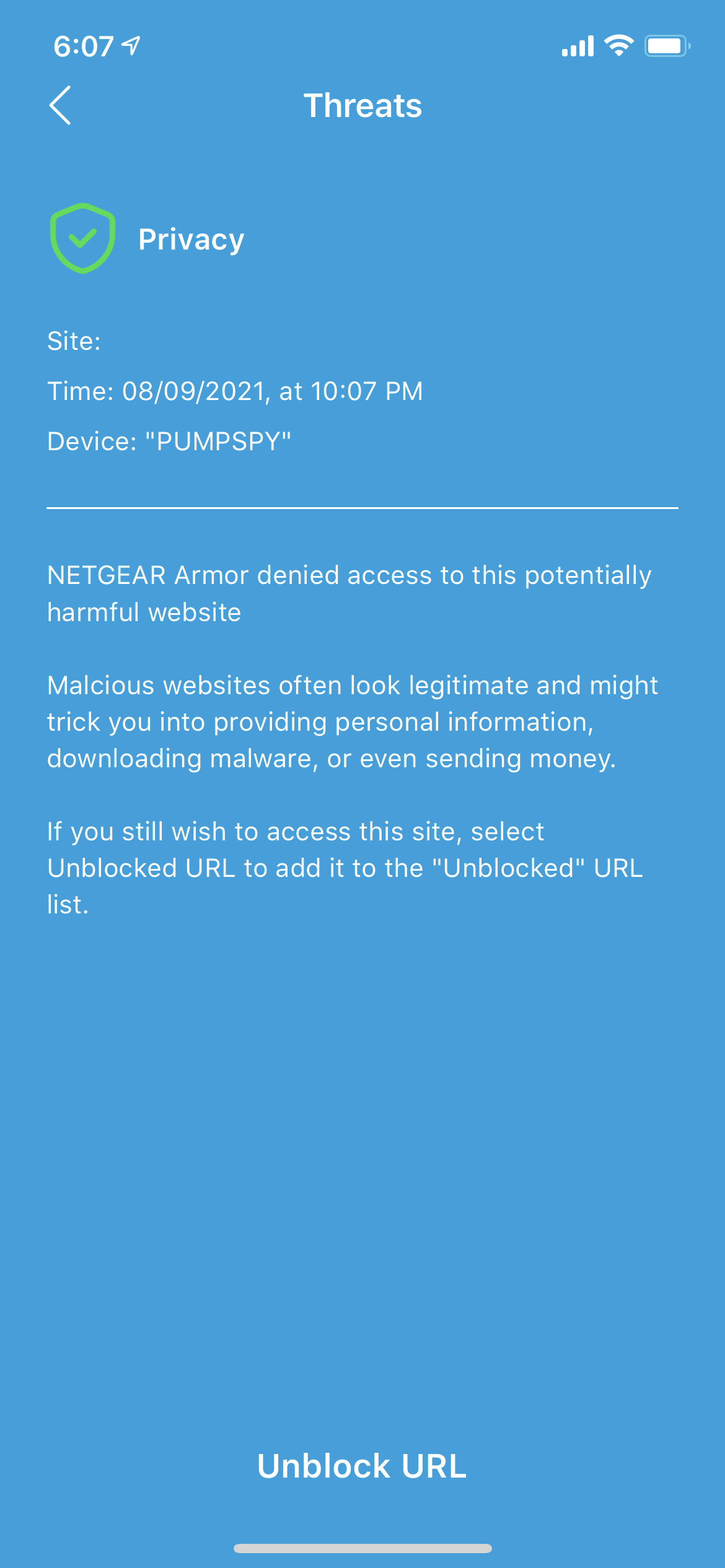
Having the same issue, but there is no URL. When you click the Unblock button, it just shows up in the Unblocked URL as "Privacy". You can't even click on it or do anything with it. Until there is a solution, I have to block the device in the router table. Otherwise, every 10 seconds I get that same annoying notification. I contacted PumpSpy as well and they are aware of the issue. However, they just say to unblock the device in the router table, which just brings back the annoying notification! It's a shame, I really like the device and has saved me a couple of times with my sump pump. Would really like a solution on this one. Notice there is no URL in the notification.
- timberwolfnySep 08, 2021GuideI posted the wrong instructions you can't do it in the app you have to go to the Netgear armor website. On the top right on notifications is shows what was blocked and on that same notification you can unblock it. The app is useless alot of the times.
- Cannonej76Sep 08, 2021TutorThanks. I tried the net gear website. When I go to Pump Spy it does not have a URL and doesn’t seem to do anything when I click unblock page.