NETGEAR is aware of a growing number of phone and online scams. To learn how to stay safe click here.
Forum Discussion

Dustin_V
May 03, 2019NETGEAR Employee Retired
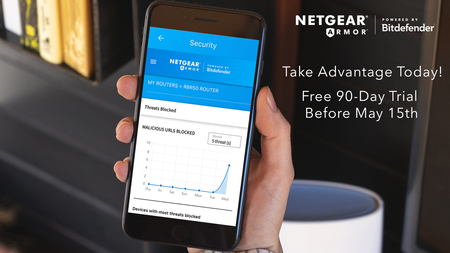
NETGEAR Armor Free 90-Day Trial Before May 15th
If you haven’t had a chance to activate your free 90-day trial of NETGEAR Armor, now is the time to take advantage! Starting on May 15 th , your free trial will become a 30-day trial. Don’t mi...
walkerboh2112
May 08, 2019Aspirant
Firm 2.3.1.60; iOS 12.x; flipped from AP mode to Router to get "armored" but when I try I get "Failed to Subscribe." I ran the setup wizard after bouncing my RBR50 and FiOS Quantum router but no joy. The only thing that sticks out is that I changed my router password as prompted. I did not change my Netgear password. Hope that is not causing an authentication issue as the message I get after attempting to activate Armor only happens after it basically times out trying. I takes like 20-30 seconds before the message pops, and in the instructional video the authentication happens in less than 5 seconds. I think the level 1 rep in the Phillipines opened a ticket for review but no confirmation email on that. Naturally my "free activation" is about to expire when I'm trying to do all of this. Aaaaahhhhhhh!!!!!
- walkerboh2112May 09, 2019Aspirant
1st level support of no use. 2nd level didn't bother to read my ticket info and asked for info I already provided. Sucked it up and did a factory reset (hold in Reset button on router for 7 seconds or until light starts blinking- a paper clip helps). The router did keep some info, which was convenient but made me worried about ever selling or donating this device. Anyway, setup worked (if slowly), and then I went back in to my iOS XS Max running beta 5 and Armor fired up w/no issues. It appears that making a change from AP to router mode is best done via factory reset, even though the HTML menu allows you to do so in the Advanced menu.