NETGEAR is aware of a growing number of phone and online scams. To learn how to stay safe click here.
Forum Discussion

Dustin_V
Apr 07, 2020NETGEAR Employee Retired
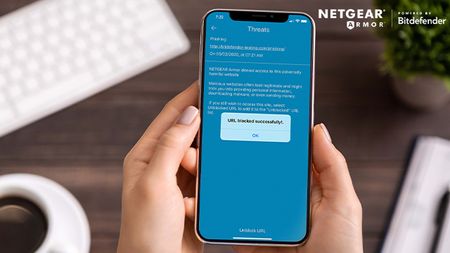
New Feature: Unblock URLs with NETGEAR Armor
NETGEAR Armor’s latest feature puts you in control by allowing you to unblock URLs. While NETGEAR Armor automatically blocks suspicious and potentially dangerous websites, if you believe that a w...
philips21
Apr 25, 2020Initiate
After unblocking a site it shows up in my unblocked list, but appears there it NO option to be able to re-block a site you have unblocked? Am I missing something here? Please tell me this isn't true!
- philips21Apr 25, 2020Initiate
Ok I figured out how to re-block and unblocked site, but it doesn't work like it should.
To unblock a site you can either click on the site or swipe left.
BUT....
To re-block a site you can't click on it, you can only swipe left.
This is not intuitive and should work the same way.
I maintain a website for my church and on 4-21 ARMOR blocked three googleapis.com sites and I can no longer update my church website and when unblocking the site, including turning off ARMOR, and rebooting my router, I still cannot access the site.
Router Firmware: V2.5.1.8
Android App Version: V2.4.25.961
Model: RBR50|Orbi AC3000 Tri-band WiFi Router