NETGEAR is aware of a growing number of phone and online scams. To learn how to stay safe click here.
Forum Discussion

Spacebulb
May 04, 2022Tutor
Nighthawk App Wifi Router Setup
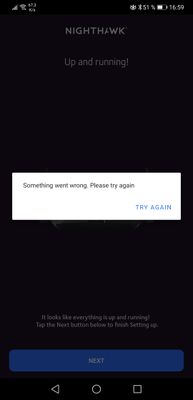
Hi All - since i can't contact Netgear directly I'm appealing to those brains in this community, thanks in advance! I've really struggled since I bought my RAX 40 Nighthawk- the main issue is tha...
Spacebulb
May 05, 2022Tutor
I'm in Vienna, Austria so it's using a Magenta Modem/Wifi Router with the wifi turned off - not sure what the details are of the specific modem are - but could find out if i know what specs you'd like to know more about

plemans
May 05, 2022Guru - Experienced User
Turning off the wifi doesn't disable the routing features and it puts you in a double nat.
A double nat happens when you cascade more than 1 router.
https://kb.netgear.com/30186/What-is-Double-NAT
Fixes? There’s 3 options but only use 1.
1. Put the modem/gateway in modem only/pass through mode. This disables its routing functions.
2. Leave the modem/gateway in router mode but put the Netgears IP address into its DMZ. This forwards the data to the netgear. You can either leave the modem/gateway’s wireless enabled or disabled. Just make sure its using a different wifi channel to prevent interference
3. Put the Netgear into access point mode. This disables its routing functions. Wifi/ethernet still works but it does disable some features.
https://kb.netgear.com/26765/Which-features-are-disabled-on-my-NETGEAR-router-when-it-is-set-to-AP-Mode