NETGEAR is aware of a growing number of phone and online scams. To learn how to stay safe click here.
Forum Discussion

itspirrip
Feb 18, 2023Aspirant
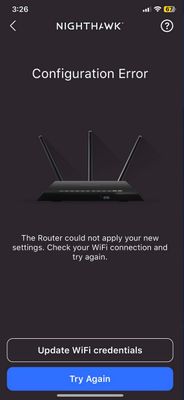
Unable to get through the app set
I got this router to pair with my att router but its not working I updated the wifi credential, and tried again and again... it doesnt work and my router is not working. There's a red ligh...

michaelkenward
Feb 21, 2023Guru - Experienced User
This doesn't seem to have much to do with my reply to your first message.
You haven't answered the question about which Netgear device you have. It matters. That picture could be a router. It could be a modem/router.
To connect the unknown (to us) Netgear device to the Internet, you need to plug a cable from an Ethernet port on your gateway (modem/router) into the WAN port of the Netgear router. Which Ethernet port you use on the gateway shouldn't matter. It won't have a "WAN" port.
You plug the cable from the wall socket from the Internet into the appropriate Internet port on the back of the gateway.
But you may not get very far unless you fix the NAT issue that I mentioned earlier.
itspirrip wrote:
the phone/internet cable doesn't work on this router, it says to use "wan," i googled it and its a rj45 cable. I used the wan port on both routers to make the connection but it doesn't work.
The RJ45 cable is an Ethernet cable. It is not the same thing as the cable you need to connect a gateway to a cable Internet service or to a DSL service on a telephone line.
We don't know what sort of Internet you have – cable, DSL or optical –so who knows what this phone/internet cable is. You canlt plug the router, if that is what the Netgear thing is, into the phone line. It needs a modem for that. That is what your BGW210 is for.
You'll have to work out how to plug the gateway into whatever delivers you the Internet.
itspirrip
Feb 22, 2023Aspirant
AC1750 smart WiFi Router
I have DSL
- michaelkenwardFeb 22, 2023Guru - Experienced User
itspirrip wrote:
AC1750 smart WiFi Router
I have DSL
AC1750 is not a Netgear model number.
AC1750 is not a reliable guide to model number. Many devices come with an AC tag, but it is essentially a label that Netgear, and other brands, attach to hardware to describe wifi speeds.
Look at the label on the device for the model number.
If you are using whatever the "AC1750" is to connect to the Internet, then it is not a modem/router rather then a plain router. It doesn't look like that. No DSL LED.
So, is that what the BGW210 is for?
If so, either put the BGW210 into bridge mode (see above) or the Netgear router into AP mode.
How do I change my NETGEAR router to AP mode? | Answer | NETGEAR Support
- itspirripFeb 23, 2023Aspirant
Sorry, the model is R6700v2 for netgear.
- michaelkenwardFeb 23, 2023Guru - Experienced User
itspirrip wrote:
Sorry, the model is R6700v2 for netgear.
To avoid conflicts between your modem/router, you could put the BGW210 into bridge mode (see above) or the Netgear R6700v2 router into AP mode.
How do I change my NETGEAR router to AP mode? | Answer | NETGEAR Support
You could also forget about using the Nighthawk app to set up the router. Do it with the browser graphical user interface (GUI).
How do I log in to my NETGEAR wireless router? | Answer | NETGEAR Support
Your first message shows that the router is not connecting to the Internet. Before you try that, put the BGW210 into bridge mode. Then add the router.