NETGEAR is aware of a growing number of phone and online scams. To learn how to stay safe click here.
Forum Discussion

mengnighthawk
Mar 03, 2022Aspirant
cant play or connect to call of duty servers using nighthawk m5 and mk63 mesh system
. hello i just upgraded my previous Nighthawk m1 with tp link ac1750 router to my new nighthawk m5 connected to my new nighthawk mk63 mesh system. everything works fine but i can't play call of du...
- Mar 10, 2022
Dang....
You mgiht set a static IP address on the MRs web page under Advanced tab/Internet. Change from DHCP to Static, input that IP address, Subnet mask would be 255.255.255.0 I believe, Gateway would be the M5 IP address seen on it's LAN side so maybe thats 192.168.1.1 or could 192.168.0.1. DNS you can use the M5s IP address on the LAN or use a custome DNS addresses.
Or easiest would be to configure the MR for AP Mode then and use the M5 as your host router with its limited router features.

mengnighthawk
Mar 03, 2022Aspirant
ok new update.... installed the mk63 back and i can play cod now.... weird
- FURRYe38Mar 03, 2022Guru - Experienced User
What Firmware version is currently loaded?
What is the Mfr and model# of the Internet Service Providers modem/ONT the NG router is connected too?
mengnighthawk wrote:
ok new update.... installed the mk63 back and i can play cod now.... weird
- mengnighthawkMar 07, 2022Aspirant
- mengnighthawkMar 07, 2022Aspirantit is a nighthawk mr5100
- FURRYe38Mar 09, 2022Guru - Experienced User
So you have the MK63 series connected to the M5?
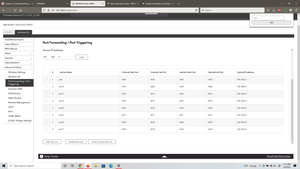
If so, try putting the MR router into the M5s DMZ. The M5 and MR already have built in routers that can cause a double NAT condition which is not recommended.
- mengnighthawkMar 07, 2022Aspirantafter a few days, I can't get back into the cod server...
