NETGEAR is aware of a growing number of phone and online scams. To learn how to stay safe click here.
Forum Discussion

mengnighthawk
Mar 03, 2022Aspirant
cant play or connect to call of duty servers using nighthawk m5 and mk63 mesh system
. hello i just upgraded my previous Nighthawk m1 with tp link ac1750 router to my new nighthawk m5 connected to my new nighthawk mk63 mesh system. everything works fine but i can't play call of du...
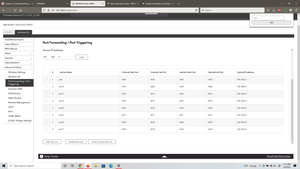
- Mar 10, 2022
Dang....
You mgiht set a static IP address on the MRs web page under Advanced tab/Internet. Change from DHCP to Static, input that IP address, Subnet mask would be 255.255.255.0 I believe, Gateway would be the M5 IP address seen on it's LAN side so maybe thats 192.168.1.1 or could 192.168.0.1. DNS you can use the M5s IP address on the LAN or use a custome DNS addresses.
Or easiest would be to configure the MR for AP Mode then and use the M5 as your host router with its limited router features.
mengnighthawk
Mar 09, 2022Aspirant
ok, advanced home shows this ip address for the internet port on the mr60(see attachment). and attachment 2 is the dmz setting on the m5, once enabled I will be able to enter a ip address which should go there correct?


FURRYe38
Mar 09, 2022Guru - Experienced User
Yes, input this 10.202 address into the M5s DMZ
- mengnighthawkMar 09, 2022Aspirant
i tried that and it didnt work, the ip address changes everytime i refresh the page on the mr60, or atleast everytime i enter the ip address into the m5, the ip address changes in the mr60
just additional information, this is how i have the hotspot and router setup
- FURRYe38Mar 09, 2022Guru - Experienced User
Be sure to set up a IP address reservation on the M5 for the MRs IP address. This will help prevent the IP address from changing on the MRs WAN port.
- mengnighthawkMar 09, 2022AspirantI don't think that is possible to do on the m5
- FURRYe38Mar 09, 2022Guru - Experienced User
No IP address resvervation setting on the M5?
Maybe see here?
https://kb.netgear.com/25722/How-do-I-reserve-an-IP-address-on-my-NETGEAR-router
- mengnighthawkMar 09, 2022Aspirantunfortunately there is no ip address reservation, the m5 is limited to what it can change in settings
- FURRYe38Mar 10, 2022Guru - Experienced User
Dang....
You mgiht set a static IP address on the MRs web page under Advanced tab/Internet. Change from DHCP to Static, input that IP address, Subnet mask would be 255.255.255.0 I believe, Gateway would be the M5 IP address seen on it's LAN side so maybe thats 192.168.1.1 or could 192.168.0.1. DNS you can use the M5s IP address on the LAN or use a custome DNS addresses.
Or easiest would be to configure the MR for AP Mode then and use the M5 as your host router with its limited router features.
- mengnighthawkMar 10, 2022Aspirant
so thanks i finally got it to work. the first option caused my hotspot to act up and i was no longer able to log in so i had to revert the settings. factory resetting the hotspot and changing the mr60 to AP worked. my only issue is i cannot log into the hotspot or router via IP address. not sure why but luckily netgear has a app for both device so i can just access the settings from there. again thanks for the help and being patient with me as i've been batteling this for the past few days
update: hotspot is now access by attwifimanager.com and the ipaddress on the mr60 changed so thats that...
- FURRYe38Mar 10, 2022Guru - Experienced User
Ok. So to log into the MRs web page, just look at the M5s connected devices page to see what the IP address is prior to accessing the MRs web page.
Glad you got it working. Please mark your thread as solved so others will know. Be sure to save off a back up configuration to file for safe keeping. Saves time if a reset is needed.
https://kb.netgear.com/24231/How-do-I-back-up-the-router-configuration-settings-on-my-Nighthawk-router
Enjoy. 📡