NETGEAR is aware of a growing number of phone and online scams. To learn how to stay safe click here.
Forum Discussion

cs47
Jan 21, 2022Tutor
MR60/MS60 - Ethernet backhaul creates network loop
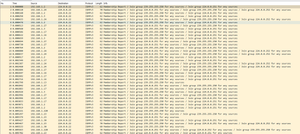
I have an MR60 router connected to the internet and 2 MS60 satelites connected with an ethernet (cat-6) backhaul. I bought this device at Costco - strange that the model number is not listed in the ...
TheBoroer
Jan 24, 2022Aspirant
I just want to chime in and say i'm experiencing the same issues.
I just upgraded to 1.1.6.122 yesterday on all devices to see if that fixed the issue but it doesn't.
I have one MR60 and two MS60 devices connected via cat6 ethernet cables to a Mikrotik RB5009 router (I also tried having them connected via an unmanaged switch with the same result). The netgear mesh system is configured to be running in Access Point mode (AP Mode).
All 3 netgear devices are connected directly to the mikrotik router and I see loop detection warnings in the mikrotik logs.

FURRYe38
Jan 24, 2022Guru - Experienced User
If your ethernet connecting the MS, they need to be connected to the back of the MR, not in parallel at the host router.
ISP Modem>Host router><>MR in AP mode<Unmanaged LAN switch<>MS connected to Lan Switch.
TheBoroer wrote:
I just want to chime in and say i'm experiencing the same issues.
I just upgraded to 1.1.6.122 yesterday on all devices to see if that fixed the issue but it doesn't.
I have one MR60 and two MS60 devices connected via cat6 ethernet cables to a Mikrotik RB5009 router (I also tried having them connected via an unmanaged switch with the same result). The netgear mesh system is configured to be running in Access Point mode (AP Mode).
All 3 netgear devices are connected directly to the mikrotik router and I see loop detection warnings in the mikrotik logs.