NETGEAR is aware of a growing number of phone and online scams. To learn how to stay safe click here.
Forum Discussion

MinGin
Aug 07, 2024Tutor
MR70 and MS70 Download Speed Problem
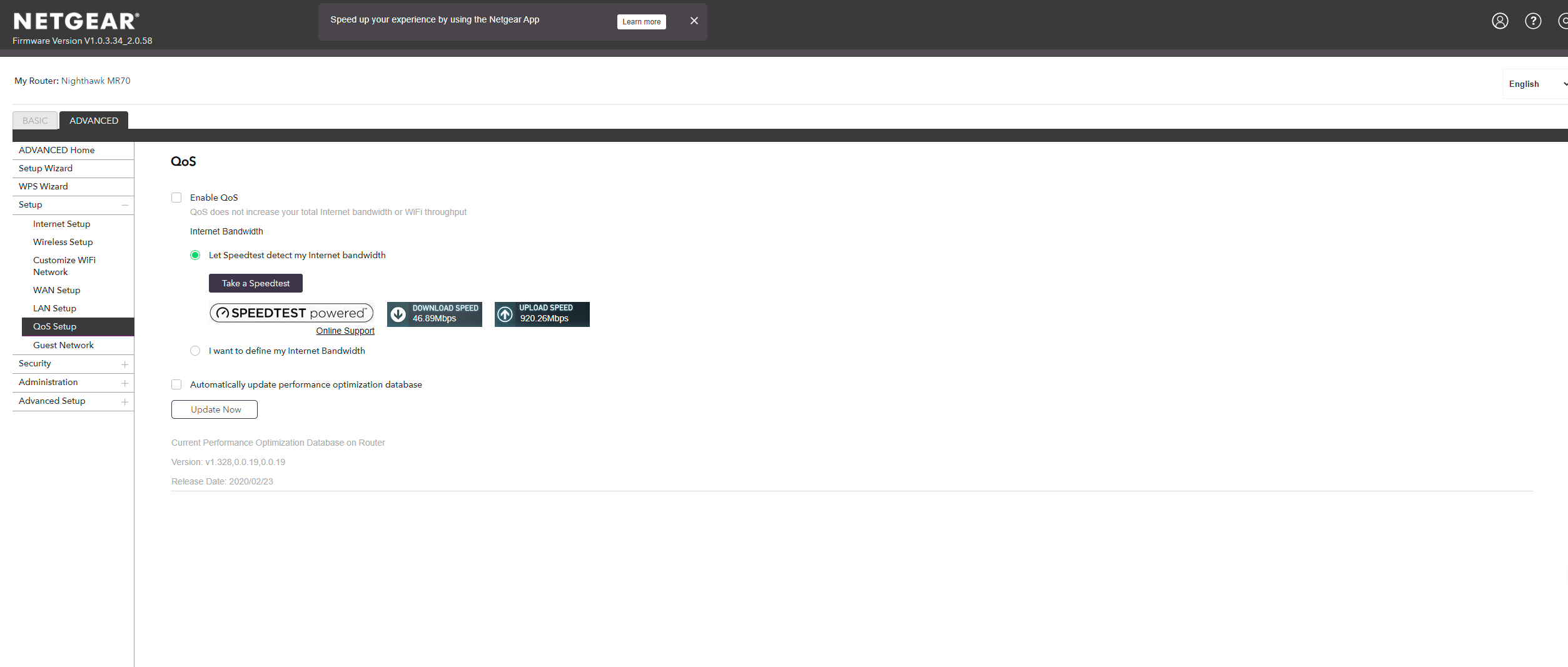
I am bought MR70 and MS70 in recent day. It found that the download speed is extremely slow via this mesh router..The download speed is around 80Mbps and upload speed is find (~900Mbps) via wired (PC...
MinGin
Aug 07, 2024Tutor
What speed testing app are you using on the PC and phone? Ooklas installable is recommended.
Ans: Yes, I am using Ooklas
Armor, Smart Parental Controls or Circle, Traffic Meter.
Ans: Those function are disabled
What is the Mfr and model# of the Internet Service Providers modem/ONT the NG router is connected too?
Ans: EchoLife HG8040H5 (I am not live in US)
Be sure your using a good quality LAN cable between the modem and router. CAT6 is recommended.
Ans: Yes, CAT6 is using for all connection (Modem to Router, Router to PC etc)
When i change back to Netgear LAX20, then everything return to normal (Download: ~900Mbps / Upload: ~900Mbps)

FURRYe38
Aug 07, 2024Guru - Experienced User
Try something, if you can, disable the WiFi radios on the LAX20.
Connect up one ethernet cable to the MR70 while it's not connected to anything and change it's IP address from 192.168.1.1 to 192.168.0.1 and apply the change.
As the MR reboots, connect it's WAN port to a free open LAN port behind the LAX20.
MR should get a front LED thats BLUE.
If and when it does, run another speed test with the one PC connected behind the MR while it's connected to the LAX20...
- MinGinAug 07, 2024Tutor
LAX20 and MR70 are not using at the same time
So, LAX20 is power OFF when MR70 is turning ON.
It is just a comparison of download speed between MR70 and LAX20, which MR70 is extremely slow.
- FURRYe38Aug 07, 2024Guru - Experienced User
The suggestion test below will have both LAX and MR running at the same time. Would test to see if speeds thru the MR connected to the LAX is still a problem or not.
- plemansAug 08, 2024Guru - Experienced User
Whenever I see speeds less than 100mbps, I wonder if its connected together at gigabit speeds.
You can check that in the wan port statistics page.
https://kb.netgear.com/24222/How-do-I-display-Internet-port-statistics-on-my-Nighthawk-router
I'd check that to see if your echolife and MR70 are connecting together at full speed.
There wasn't a ton of details (and I truly didn't look that hard) on the echolife but it does show 4x ethernet ports on it. Always makes me curious if its doing any traffic inspection or anything like that. Might be worth opening a post on their forums to see if anything needs to be done with it when changing routers. (not saying that's an issue but they'd be more familiar with it).
- MinGinAug 09, 2024Tutor
Hi, i am just try to connect with your procedure Modem > LAX20 > MR70
The wired download speed is okay at the location between Modem > PC, Modem > LAX20 > PC and Modem > LAX20 > MR70 to PC (download speed almost at 300Mbps ~500Mbps
But the wifi download speed is still remaining below 80Mbps
The attachment is the status of MR70 during connection of LAX20 to MR70