NETGEAR is aware of a growing number of phone and online scams. To learn how to stay safe click here.
Forum Discussion

Dustin_V
May 20, 2020NETGEAR Employee Retired
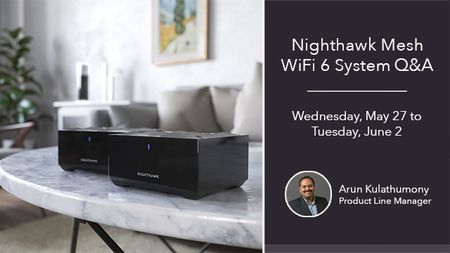
Nighthawk Mesh Q&A with Product Manager, Arun K. - May 27 to June 2
Update: The Nighthawk Mesh Q&A has been extended through Tuesday, June 2! Here is your chance to ask your Nighthawk Mesh WiFi 6 System questions to Arun, so don't miss out!
Join us on We...

mjcalabrese
Jun 01, 2020Apprentice
MK62-100NAS - Netgear Nighthawk Wifi 6 Mesh AX1800
Hardware Version MR60 / MS60
Firmware Version MR60-V1.0.4.92_2.0.38 / MS60-V1.0.4.92_2.0.38
Recently purchased this system and it is working fairly well, but I have run into some issues that tech support has yet to answer for me. Maybe you can help me.
- The MS60 unit is currently connected via 5GHz backhaul. This causes some bandwidth reductions 40-60% on the MS60 end. I tested with a CAT5e cable and the MS60s speeds nearly matched the MR60 devices. Is this to be expected if Ethernet backhaul is not used?
- The MS60 does not sync to the MR60 when it comes to the 2.4 GHz channels. Currently the MR60 is assigned to Channel 11, but the MS60 is using Channel 8. I see no way to set the channels on the MS60 end - Can this be added in the future? [Or at least only choose from channels 1 - 6 - 11 on the 2.4 GHz end so there is no overlap/interference]. on 5GHz, the channels are sync'd to Channel 153, but this is probably because the 5G backhaul is in use.
- On occasion, I will lose connectivity on 5GHz devices connected to the MS60. Not sure what the reason is, but I have tried to reset the network connections on these devices (laptop, Smart TV, and iPhone XR) and do not see any IP Address being issued, but I do see the successful DHCP request in the MR60 logs. I was about to reboot everything last evening so I walked upstairs to the MR60 and my iPhone connected ... [hmm, must be the MS60, so I rebooted it and everything was working again --- could it be the MS60 is defective?]
Thanks for any help you can give me on these topics/questions.
- akongJun 01, 2020Guide
Hi there, the backhaul connection from my understanding is supposed to be WIFI6 on 5GHz band, which I expect it to be optimal regardless of whether your end devices are in the 2 or 5 GHz band, when connecting to the satellite. You do not get to configure how the backhaul connects because the satellite will attempt to communicate with the router optimally (which is what I don't trust Netgear is doing a good job on at this time). They should provide us more granular configurable information between the satellite and the router (or at least allow us to configure whether the backhaul connection can be in WIFI 5 or 6 mode. The only reason I bought into this product was the hope that my end device connections to the satellite does not degrade due to the WIFI 6 feature. However, it appears there are inherent latency issues associated with the Mesh network as a whole. I hope they can sort out a solution via firmware.
- arunkmonyJun 02, 2020NETGEAR Employee Retired
mjcalabrese wrote:
MK62-100NAS - Netgear Nighthawk Wifi 6 Mesh AX1800
Hardware Version MR60 / MS60
Firmware Version MR60-V1.0.4.92_2.0.38 / MS60-V1.0.4.92_2.0.38
Recently purchased this system and it is working fairly well, but I have run into some issues that tech support has yet to answer for me. Maybe you can help me.
- The MS60 unit is currently connected via 5GHz backhaul. This causes some bandwidth reductions 40-60% on the MS60 end. I tested with a CAT5e cable and the MS60s speeds nearly matched the MR60 devices. Is this to be expected if Ethernet backhaul is not used?
The backhaul for MR60 is shared so as you add more devices to the network, you may see the speeds reducing a bit. Ethernet does not suffer from this, so when ethernet backhaul is used, the speed reduction will not occur.
- The MS60 does not sync to the MR60 when it comes to the 2.4 GHz channels. Currently the MR60 is assigned to Channel 11, but the MS60 is using Channel 8. I see no way to set the channels on the MS60 end - Can this be added in the future? [Or at least only choose from channels 1 - 6 - 11 on the 2.4 GHz end so there is no overlap/interference]. on 5GHz, the channels are sync'd to Channel 153, but this is probably because the 5G backhaul is in use.
There is an option to fix the 2.4G channel. Please check the user manual for configuring it. If you are interested in being part of users to try new test firmware please PM me and I'll connect with the team. https://www.netgear.com/support/product/mk62.aspx#docs
- On occasion, I will lose connectivity on 5GHz devices connected to the MS60. Not sure what the reason is, but I have tried to reset the network connections on these devices (laptop, Smart TV, and iPhone XR) and do not see any IP Address being issued, but I do see the successful DHCP request in the MR60 logs. I was about to reboot everything last evening so I walked upstairs to the MR60 and my iPhone connected ... [hmm, must be the MS60, so I rebooted it and everything was working again --- could it be the MS60 is defective?]
Thanks for any help you can give me on these topics/questions.
It's unlikely to have a defective satellite. In case you see the problem again, please raise a support ticket so we can help with debugging the issue.
- akongJun 03, 2020Guide
arunkmony wrote:The backhaul for MR60 is shared so as you add more devices to the network, you may see the speeds reducing a bit. Ethernet does not suffer from this, so when ethernet backhaul is used, the speed reduction will not occur.
Just for my own sanity check...Are you saying the backhaul connection is competing in the same channel as the rest of the end devices over the 5GHz band? If so, why not allows us to configure a different channel in the 5GHz band for the backhaul?
- schumakuJun 03, 2020Guru - Experienced User
akong wrote:
arunkmony wrote:The backhaul for MR60 is shared so as you add more devices to the network, you may see the speeds reducing a bit. Ethernet does not suffer from this, so when ethernet backhaul is used, the speed reduction will not occur.
Are you saying the backhaul connection is competing in the same channel as the rest of the end devices over the 5GHz band?
Yes, this is what arunkmony explained.
akong wrote:If so, why not allows us to configure a different channel in the 5GHz band for the backhaul?
Because there are only two 802.1ax radios on each these Nighthawk Mesh devices - one 2.4 GHz, one 5 GHz.
