NETGEAR is aware of a growing number of phone and online scams. To learn how to stay safe click here.
Forum Discussion

Dustin_V
May 20, 2020NETGEAR Employee Retired
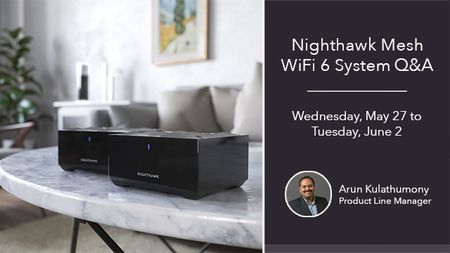
Nighthawk Mesh Q&A with Product Manager, Arun K. - May 27 to June 2
Update: The Nighthawk Mesh Q&A has been extended through Tuesday, June 2! Here is your chance to ask your Nighthawk Mesh WiFi 6 System questions to Arun, so don't miss out!
Join us on We...
akong
Jun 08, 2020Guide
After coordinating with Netgear support, I have changed MR60 to AP mode on 6/7/2020 in the hope of addressing the intermittent disconnection issue on my mobile devices. The support's recommendation is to have the mesh router, in AP mode, to continue to use DHCP from the gateway. It worked for about a day when one of my mobile devices failed to get the IP address via DHCP gateway. Regardless of what I do on that mobile device (ie, disable WIFI, enable WIFI, forget WIFI and reconfigure WIFI connection, restarting the mobile device, etc... nothing seems to work to obtain the IP address from the WIFI connection. I finally have to resolve to using fix IP address which connects correctly to the WIFI network but warns that internet will not be accessible (and sure enough internet was not available). I logged in to verify MR60 configuration and see that via DHCP, it is getting the DNS info from Spectrum instead of from openDNS. Against the router's warning, I just reconfigure the MR60 to use a static IP address with the pair of open DNS ip addresses and disabled DHCP. This somehow allowed all my mobile devices to use the DHCP service properly from the cable router, so now my mobile device were able to obtain an IP address again from the cable modem router itself. I am not sure what really transpired but if it is working now. I am not sure if it is a reconfiguration action (thus a reboot?) with the MR60 or the disabling of DHCP that resolved the IP addressing issue. However, since it is now working fine, I will keep the static configuration to continue testing. The only outstanding issue I have left is still the seemingly non-seamless WIFI connection that we hoped we will experience seamlessly with a true mesh system. There is still this intermittent disconnection requiring the mobile device to automatically reconnect to WIFI in the background even through signals are still 3 to 4 bars strong. This defeats the purpose of a Mesh system. I will continue to test this configuration for a week before the next support call with Netgear.
akong
Jun 09, 2020Guide
Here is the day 2 testing result after tech support suggestion to switch to AP mode:
With static IP configuration, the mobile device failed to reach the internet after receiving a firmware update on the Mesh system. I have to reset it to DHCP on AP mode, but it still fails to obtain an IP address. After reseting the router to DHCP enabled, my mobile device is able to connect again. It appears that only a reboot of the MR60 on AP mode is the only way to fix an issue when a mobile device failed to obtain IP address from the main router. So now on AP mode, I have two issues instead of one:
1. The original issue with intermittent disconnection still exist (router or AP mode, same experience)
2. When a mobile device failed to obtain an IP address from the router, only a reboot of the MR-60 fix the issue (new issue with AP mode)