NETGEAR is aware of a growing number of phone and online scams. To learn how to stay safe click here.
Forum Discussion

OSRS
Jun 18, 2022Initiate
Nighthawk MK63 Mesh Trouble
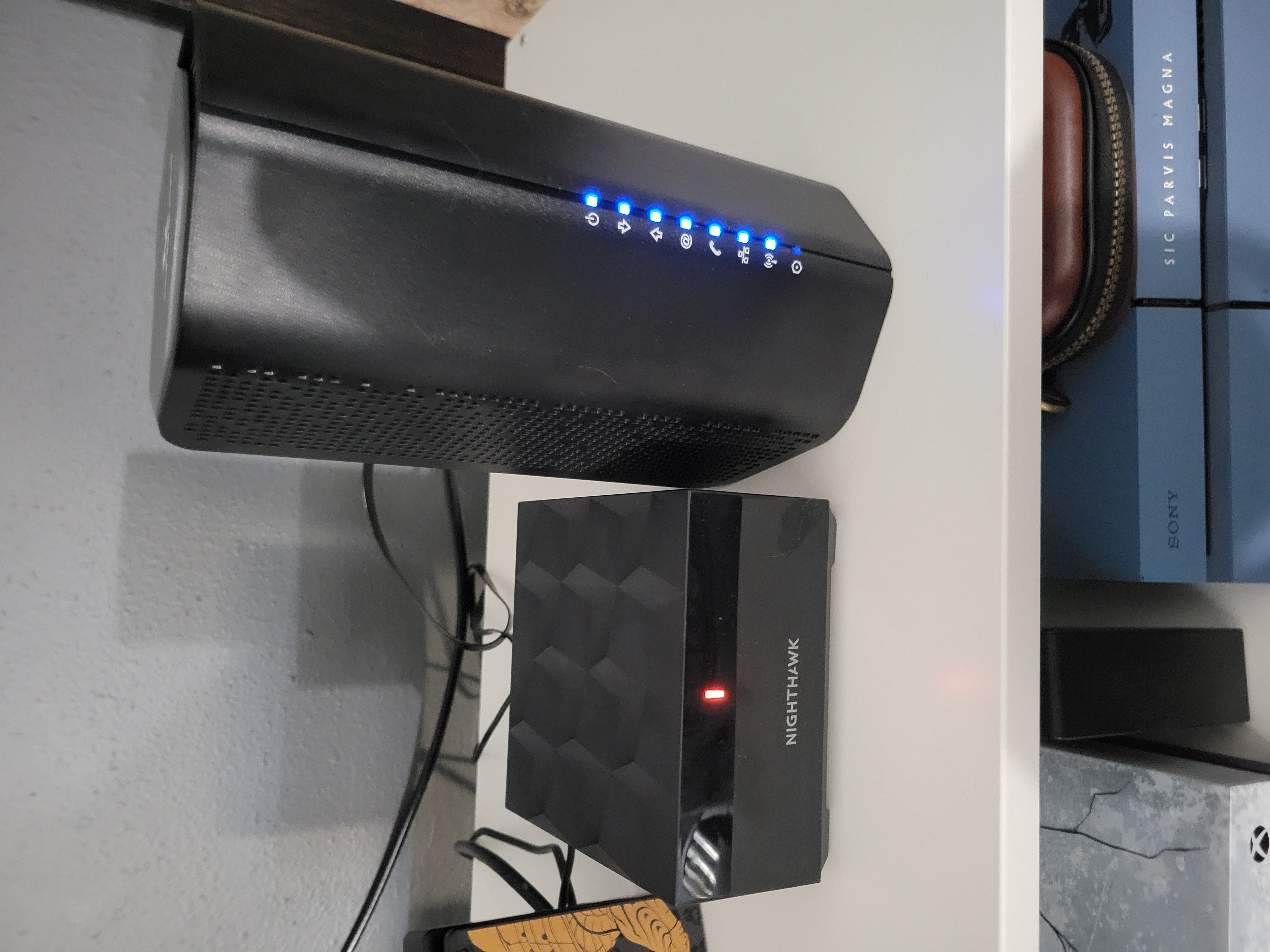
Hey, guys. I recently got a Nighthawk Mesh MK63 system for my home anout 3 or 4 weeks ago. I have read some threads on the site that have been my issue, but I feel like I need more information. I'm no...

plemans
Jun 20, 2022Guru - Experienced User
What actual modem/gateway is it? The label should have its model number.
Regardless, based on your photo's is that its a modem/router combo device and not just a modem.
It causes a double nat.
A double nat happens when you cascade more than 1 router.
https://kb.netgear.com/30186/What-is-Double-NAT
Fixes? There’s 3 options but only use 1.
1. Put the modem/gateway in modem only/pass through mode. This disables its routing functions. Most ISP's only support 1 device connected to it in modem only mode.
2. Leave the modem/gateway in router mode but put the Netgears IP address into its DMZ. This forwards the data to the netgear. You can either leave the modem/gateway’s wireless enabled or disabled. Just make sure its using a different wifi channel to prevent interference
3. Put the Netgear into access point mode. This disables its routing functions. Wifi/ethernet still works but it does disable some features.
https://kb.netgear.com/26765/Which-features-are-disabled-on-my-NETGEAR-router-when-it-is-set-to-AP-Mode
OSRS
Jun 24, 2022Initiate
Thanks for the reply, and sorry it's been a few days to get back to you.
Unfortunately, there are absolutely no stickers or markings on my device from my ISP as I stated in my post. They have removed everything and replaced it with the "XTREME" marking on the shell. There is a small rectangle plaque on the bottom where I assume the original information was, but ISP replaced it with a sticker of their own telling me to contact them with any problems. If you have to know anything about Mediacom just know they're shady and extremely unreliable, but the only provider I currently have access to.
I will try one of these and hopefully it takes care of my issue because of now my issue is still happening. Thanks for your input!
Unfortunately, there are absolutely no stickers or markings on my device from my ISP as I stated in my post. They have removed everything and replaced it with the "XTREME" marking on the shell. There is a small rectangle plaque on the bottom where I assume the original information was, but ISP replaced it with a sticker of their own telling me to contact them with any problems. If you have to know anything about Mediacom just know they're shady and extremely unreliable, but the only provider I currently have access to.
I will try one of these and hopefully it takes care of my issue because of now my issue is still happening. Thanks for your input!