NETGEAR is aware of a growing number of phone and online scams. To learn how to stay safe click here.
Forum Discussion

usermac
Sep 04, 2018Luminary
Battlefield V Spectating mode not working for me
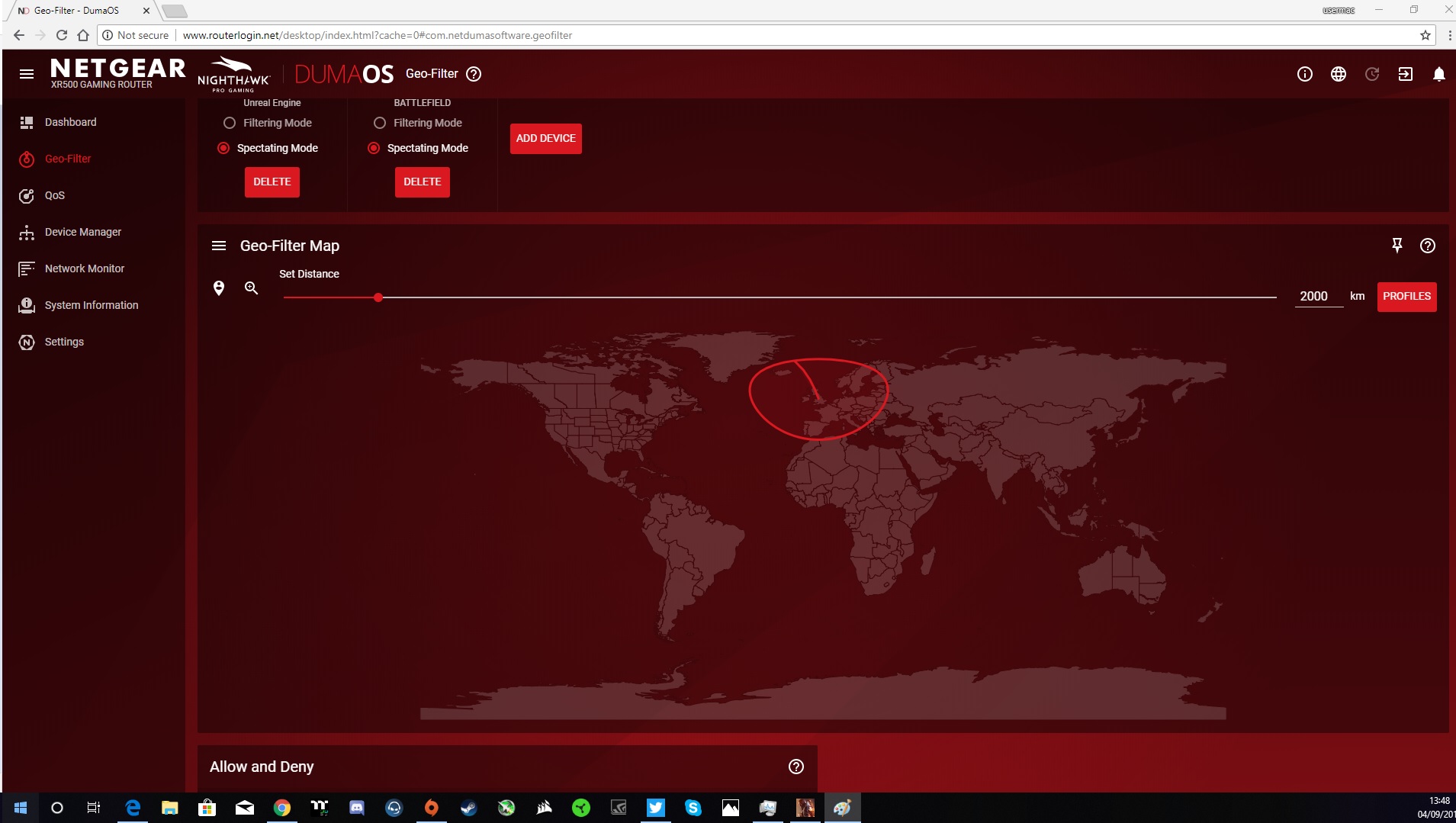
I know it is a new game etc but should the xr500 still be able to detect ping and server location when in Spectating mode.
I also have this problem on battlefied 1 aswell.
usermac
Sep 04, 2018Luminary
This is what I am leading too, You see when I got the XR500 and used it for the 1st time and added my pc the dumaos would default to spectating mode.
However if I change the device to Console Mode now filtering works and spectating too which is not a problem as such. What I find ODD is that once you have added the PC as a Games Console and then change it back to PC it still keeps those settings as if it was set to a Console mode..
Why is it that if I do a factory reset the routor still keeps these settings as if it was never fully reset.
If I do a factory reset am I right to expect the device to reset all settings back to what it was like when I very first used it.
Netduma_Jack
Sep 04, 2018NetDuma Partner
Hi Mac - that’s right, after a factory reset the Device Manager should empty and the Geo-Filter settings will all clear as well. Are you not seeing this? If not, how are you factory resetting?
- usermacSep 04, 2018LuminaryThis is the 3rd xr500 I have owned and they all have done this. I have tried resetting by pushing button on pin hole also tried resetting using the software. Most settings will reset but what I have noticed is that the geo filter when u add the pc it will still work as if it was on console mode giving you the option to choose filter or spectator.
Which is different from what the default option I had on the 1st use on setting up the device the pc would be limited to JUST spectator mode.
This may seem like small detail but does make me think the factory reset is not 100% restoring default settings.
Hopefully somebody can try this out I am sure you will have the same issue.- Netduma_JackSep 05, 2018NetDuma Partner
Ok, looks like we have a bug here then! Thank you for letting us know. We will look into fixing it.