NETGEAR is aware of a growing number of phone and online scams. To learn how to stay safe click here.
Forum Discussion

ggabir2
Nov 20, 2022Aspirant
call of duty not filtered on geo filter for PC Xr1000
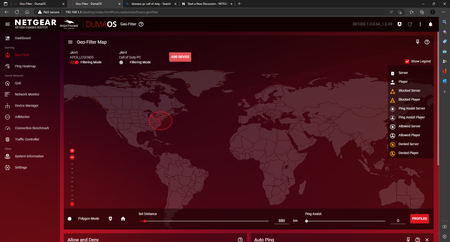
- Nov 20, 2022Thanks for that, remove the PC from the Geo-Filter, then in the Device Manager change the PC to a PlayStation device type then re-add to the Geo-Filter and select the manual option then you should be able to filter.

ggabir2
Nov 23, 2022Aspirant
Yeah I can add you I also got the best settings lmk if you want them for your router

FURRYe38
Nov 25, 2022Guru - Experienced User
Be sure to save off a back up configuration to file for safe keeping. Saves time if a reset is needed.
https://kb.netgear.com/24231/How-do-I-back-up-the-router-configuration-settings-on-my-Nighthawk-router