NETGEAR is aware of a growing number of phone and online scams. To learn how to stay safe click here.
Forum Discussion

dc2018
Mar 22, 2019Tutor
Duma OS, Netgear XR500 router -- how to get notified when update is available?
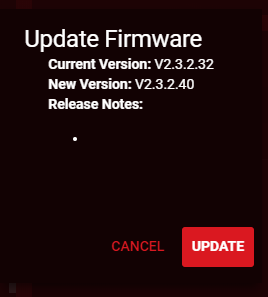
I happened to log in to my wireless router today (Netgear XR500) and the Duma OS showed that I had an update available:
So I'm wondering if there's a way to set up an email notificatio...
dc2018
Mar 23, 2019Tutor
Yeah, except that I never install updates automatically. (Don't want to stay without a router :)
OK, that's a big let-down for the otherwise "well praised" Duma OS.

Netduma-Fraser
Mar 23, 2019NetDuma Partner
I would definitely recommend enabling auto updates for a router. There may be security vulnerabilities that are discovered and could pose a risk to all the devices on your network so auto update would ensure you get a fix ASAP. It's totally up to you of course!
The only ways to check currently are to perform a check on the router or check the download section of support for the router. It is usually posted on the community as well.
The only ways to check currently are to perform a check on the router or check the download section of support for the router. It is usually posted on the community as well.
- dc2018Mar 23, 2019Tutor
Yes, security vulnerabilities is the main concern. But like I stated above, I will never install updates automatically. This is a recipe for big problems. As the history of any company shows most updates actially caused harm than good when installed right away. So no well trained IT person would ever auto-install anything.
As for how this could be done correctly (and I'm genuinely surprised that the Duma OS doesn't have it) please check Synology NAS operating system. It is pretty easy to provide an option to send an email when an emergency update is available. In this case the administrator can test the update first and then install it at his/her convenient time (and NOT when the router decides it.)
- Netduma-FraserMar 23, 2019NetDuma PartnerIt is a Netgear setting (everything in Settings is Netgear) so not handled by DumaOS or Netduma itself. The emphasis is on the automatic updates as most people don't want to think about updating devices individually themselves. Automatic updates are rolled out in stages in order to prevent harm to all routers should there be a major issue.