NETGEAR is aware of a growing number of phone and online scams. To learn how to stay safe click here.
Forum Discussion

moski247
May 16, 2022Tutor
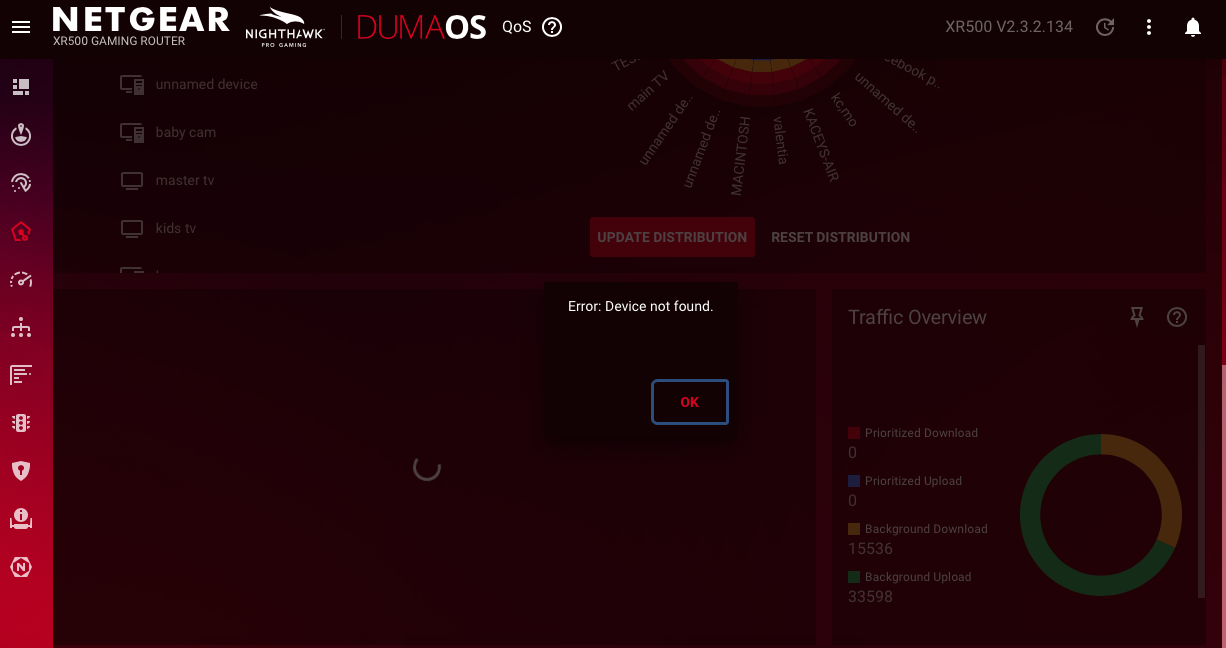
error device not found / QOS xr500 V2.3.2.134
getting a error code for device not found for the traffic priority app in QOS setting anything i can do to fix the problem.. thanks

Netduma-Fraser
May 16, 2022NetDuma Partner
Give the router a factory reset and that should remove the error - it's always recommended to do so after an update anyway to remove any issues that may carry over.
moski247
May 16, 2022Tutor
factory rest completed in the process it reverted to a older firmware and updated to current v.134. after updated and set up wizard. I unpluged the router and power cycled the router.
still have missing device error..
- Netduma-FraserMay 16, 2022NetDuma PartnerCould you clarify what you mean exactly, did you factory reset before or after updating to .134?
- moski247May 18, 2022TutorI updated the router to v2.3.2.134 about a month before I noticed the error.
I contact support, was recommended to factory reset, I did the factory reset. Once completed I was sent to the wizard for internet and WiFi set up
After completing the wizard set up. The router automatically Search for an update. V2.3.2.134 was available, so I accepted the update. Once completed I clicked QOS tab same error poped up. I then turned off the router and unplugged it for 30 seconds to power cycle and refresh the machine. Reconnect. Went to QOS tab clicked and got the same error.
Appreciate your help- Netduma-LiamMay 18, 2022NetDuma Partner
I believe what you'll need to do in this case is to downgrade to the latest previous firmware, factory reset when on that firmware, then re-upgrade to the latest. You don't need to factory reset again after that. That should solve the problem for you.