NETGEAR is aware of a growing number of phone and online scams. To learn how to stay safe click here.
Forum Discussion

angry55
Dec 01, 2018Aspirant
Incomplete setup
i recently purchased the xr500
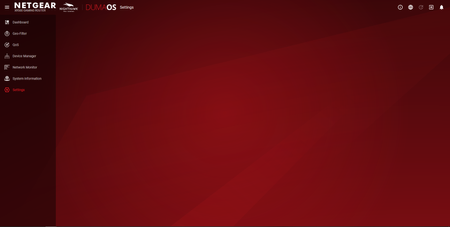
after completing the initial setup i was taken to to dumaos dashboard and attempted to configure settings
however, on clicking the settings link nothing appears (se...
Netduma_Jack
Dec 03, 2018NetDuma Partner
I recommend you downgrade back to an older firmware, and once that's complete, upgrade to the latest version again. To do th:
- Download this firmware: https://kb.netgear.com/000059151/XR500-Firmware-Version-2-3-2-22
- Go to http://routerlogin.net/adv_index.htm
- Go to Administration then Firmware Update
- Now upload the firmware you downloaded on step 1
- Wait for installation to complete
- Now try going to routerlogin.net like normal - does Settings load now?
- Hopefully it does, if so, got Administration then Firmware Update, and then install the latest firmware: https://www.netgear.com/support/product/XR500.aspx#Firmware%20Version%202.3.2.32
If that does not fix the problem then there are two other possible causes I can think of:
- You have an adblocker/security/firewall extension preventing it from loading. Could you try temporarily disabling it to see if that fixes your problem
- You are using an incompatible browser. Try using Chrome or Firefox (if you're not already) to see if that solves it
angry55
Dec 03, 2018Aspirant
Hello,
thank you for your assistance. much appreciated
before I downgraded / upgraded the firmware I tried disabling the adblocker
this allowed me to see the settings menu in dumaos
as a precaution I downgraded / upgraded the firmware as well
I have now setup an exclusion in the adblocker and all seem to be working ok
however I still have a concern that the settings and process manger rapps still have a play button beside their names where all the other rapps have a pause button
any suggestions
- Netduma_JackDec 04, 2018NetDuma Partner
That's great news that you found the problem.
Don't worry about the play/pause icon. That's the default way we present it.