NETGEAR is aware of a growing number of phone and online scams. To learn how to stay safe click here.
Forum Discussion

Wirus
Oct 04, 2022Tutor
Netgear xr1000 Downlad speed slow
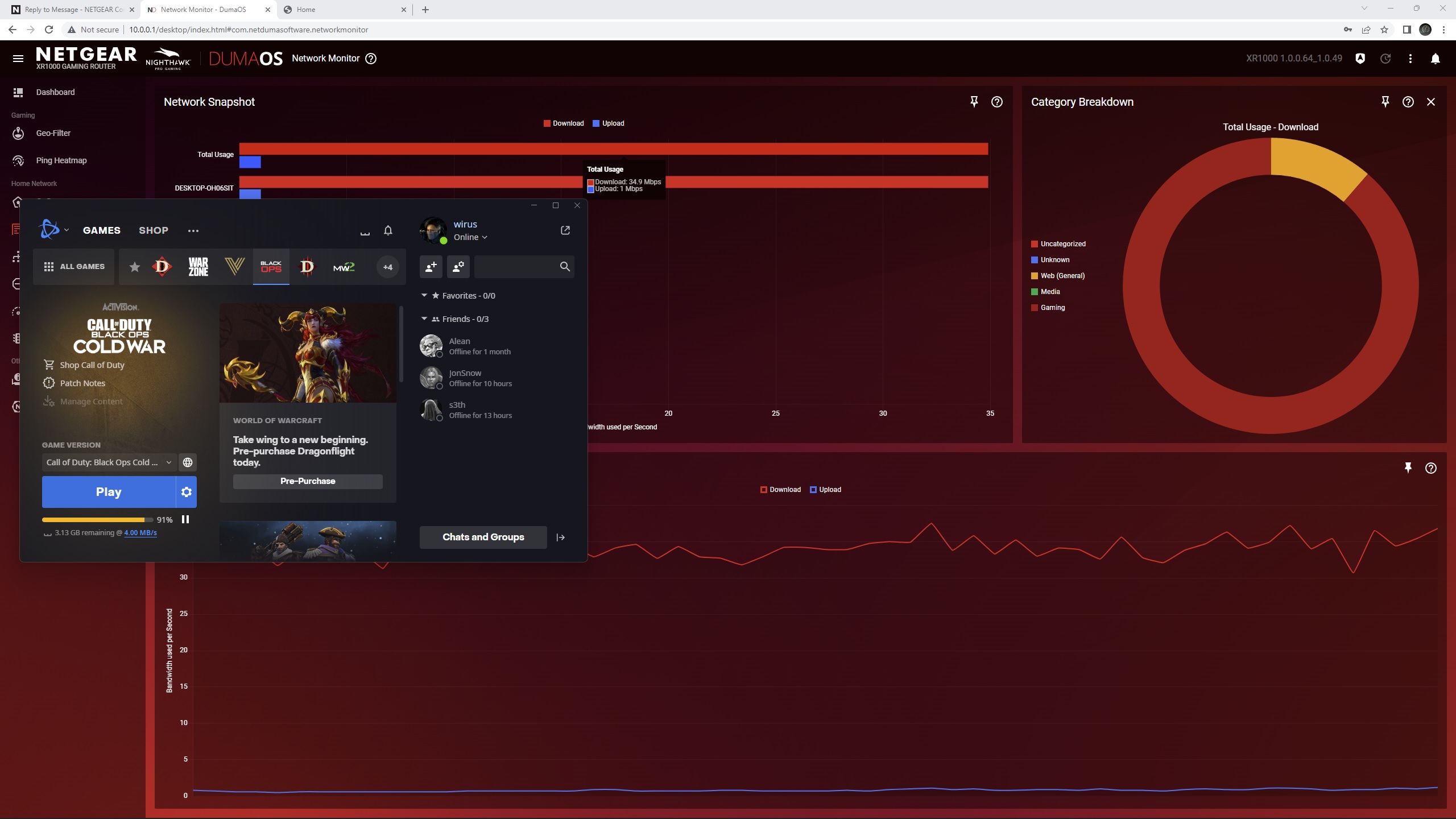
Hi, having an issue with my Netgear xr1000. Recently i,ve updated my internet plan to speed of 330 mb/s download and 42 mb/s upload. Now when i use the benchmark from DumaOS it shows that i have spee...
Wirus
Oct 04, 2022Tutor
Well yes. I’ve upgraded to 330 mb/s but the this numbers are give by the internet provider and to get the real speeds those numbers needs to be divided by 8. I am using Battle.net and Ubisoft clients.

Netduma-Fraser
Oct 04, 2022NetDuma Partner
Can you provide a screenshot of your QoS page please? Are all devices connected to the XR or are some still connected to the hub? Have you put the XR in the DMZ of the hub?
- WirusOct 04, 2022TutorNone of the devices are connected to the modem. I will provide a screenshot in the morning. At work atm. Thank you
- WirusOct 05, 2022Tutor
Right, so after going trough some testing and steps here are my results:
1. DMZ mode activated ---- same speeds as before 4-7 mb/s
2. Lan Cable to PC ---- 11 mp/s but might be the cable not sure what CAT it is. ordered a new CAT 6 Lan cable.
3. AP mode with fixed ip adress ---- full speed but doesen't this mode defies the purpose of the router (being able to use QoS and all of the other feature)?
4. LAN cable from modem to router CAT 5E
6. Reseting the modem to factory gave an increase speed up to 17 mb/s for a short period of time
To do: Reseting both the modem and the router (i'll do it over the weekend)